For the past year or so, my clients have been asking the same question: “How visible is our brand in AI search?”
That sent me down the rabbit hole of testing every AI visibility monitoring tool I could find.
I requested demos, talked to their representatives, and signed up for the free trial to see how each platform actually works in real-world workflows — not just in marketing screenshots.
In this post, I’m breaking down which AI brand monitoring tools actually deliver – and which ones are best for your needs.
The Best AI Visibility Tracking Tools
| Tool | Best For | Key Features | Pricing |
| Semrush | Integrated SEO + GEO | Full SEO suite with AI visibility tracking, largest data foundation in the category | $99/month/domain |
| OpenLens | GEO readiness audit | Generous free plan, AI Indexing, Site Readiness, Content Audit | Free; paid plans start from $39.99/month |
| Promptwatch | AI-optimized content publishing | Content Agent with CMS auto-publishing, off-site mention tracking, Actions, Agent Chat | Start from $95/month |
| Rankscale | Drill-down reporting | Ads Analysis, eCommerce product tracking, MCP | Starts from $20/month |
| SE Ranking | AI visibility + SEO reporting | AI mention & citation tracking, AI Competitor Research, Insights, GA4 integration, full SEO suite | Starts from $129/month |
| Peec AI | Citation analysis | Multi-client projects for agencies, detailed citations report | Start from $95/month |
| Scrunch | Actionable GEO insights | Real-time data, action plans to improve AI visibility | Start from $250/month |
| OtterlyAI | GEO audit | Domain and URL audit, unlimited brand reports & team members | Start from $29/month |
| Writesonic | AI-friendly content optimization | Actionable GEO recommendations, content optimization workflow | Start from $99/month |
| Wellows | Outreach & content | Outreach and content opportunities, daily monitoring with all-time history | Start from $37/domain/month |
| Trackerly | Localization | Prompt groups for different countries, accurate and transparent data | Start from $27/month |
| Waikay | Reputation management | AI knowledge audit, actionable topic gap reports | Start from $69.95/month |
| Conductor | Holistic search monitoring | Classic SEO, content optimization & AI monitoring features | Custom pricing |
Important Caveats (Don’t Skip)
Before you enter your credit card details and subscribe to these platforms, there are several things to keep in mind:
Prompts are still a big question mark
Most require you to manually enter your own prompts or rely on a list of AI-generated suggestions – neither of which accurately mirror real-world customer behavior.
Until LLM monitoring tools can reliably surface real user prompt data (something not yet possible due to privacy and platform limitations), brand visibility tracking will always involve a bit of educated guessing.
LLM answers are personalized and volatile
AI models tailor responses based on a user’s location, search history, preferences, and even the tone of the query.
On top of that, they constantly update and regenerate outputs, meaning the same prompt can produce slightly (or completely) different answers each time.
According to a SparkToro experiment, there’s less than 1% chance that ChatGPT and Google’s AI will give users the same list of brands in two separate answers.
With so many variables, it’s nearly impossible to get a perfectly accurate or consistent picture of your brand’s visibility in LLMs.
Some tools are just overpriced keyword trackers
AI search is riding a massive hype wave — and many AI visibility trackers are capitalizing on it.
Some tools now charge hundreds or even thousands of dollars per month for what are, in many cases, basic monitoring tasks.
Ethan Smith, CEO of Graphite, put it perfectly on Lenny’s Podcast:
I’ve never seen a channel where these extremely expensive tools that essentially do commodity tasks. So imagine if I said, “I’m going to charge you $50,000 for keyword tracking.” Well, of course that’s absurd. But for answer engines, it’s mysterious and people don’t really know how it’s working, and also the slope of the growth curve is so significant, that I’m seeing people spend huge amounts of money on what essentially are keyword tracking.

Ethan Smith, Founder & CEO of Graphite
Comparing the Best AI Visibility Tracking Tools
Despite these limitations, AI visibility tools can still be incredibly useful, as long as they offer reasonable pricing and provide something more than just basic tracking.
In my opinion, their real value isn’t in the visibility reports, but in the opportunities they uncover, such as:
- The type of content that’s winning AI snippets regularly
- The top cited domains and pages (so you can appear there as well)
- What your top competitors are doing well
- Which AI models are sending you traffic
Used this way, AI visibility tools become less about monitoring and more about informing your AI search optimization strategy.
With that in mind, here are the top AI visibility tracking tools I’d recommend, and the specific use cases they’re suited for:
Semrush – Top Pick for Integrated SEO + GEO
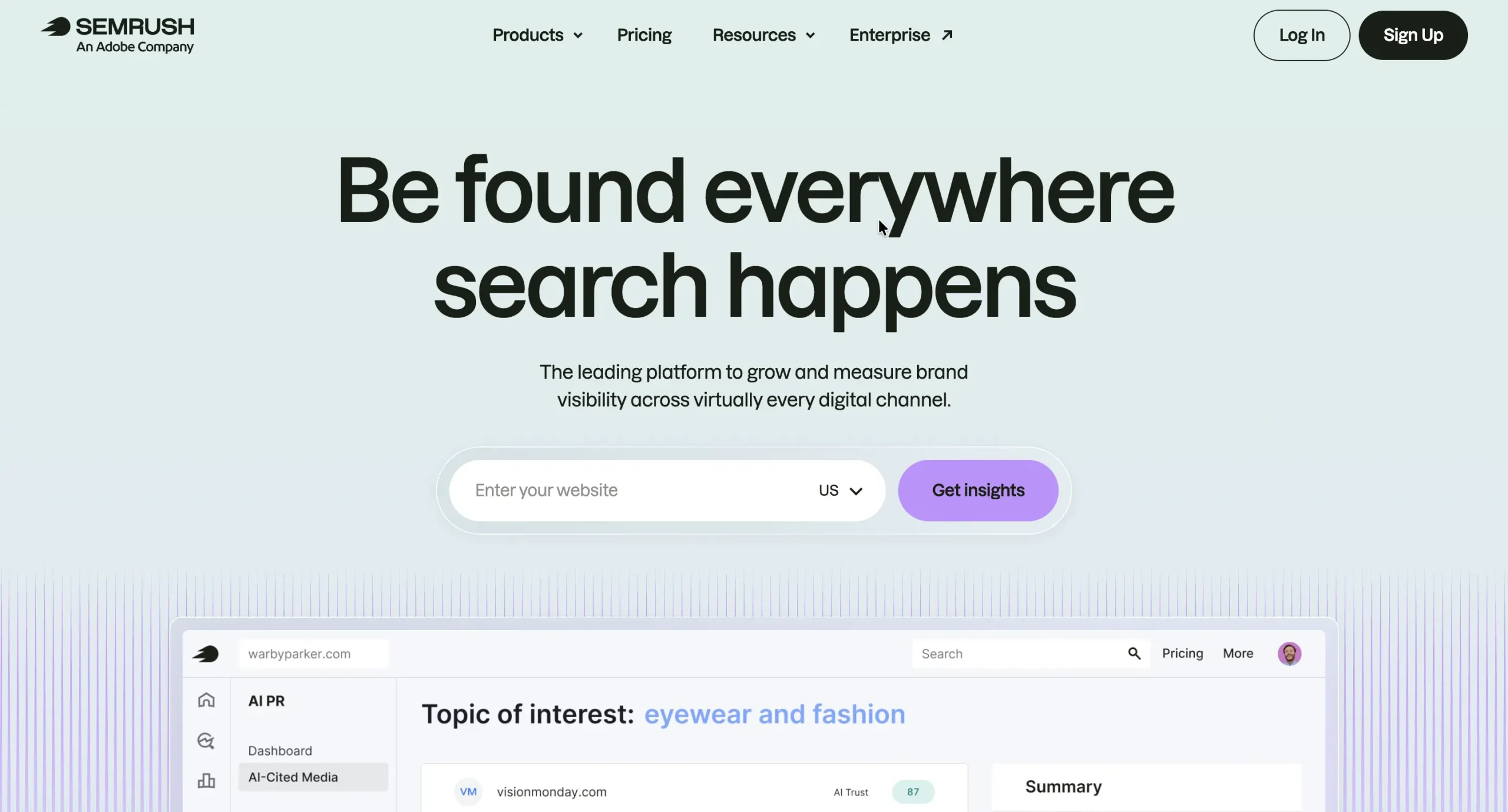
Best for: Established SEO teams that want to add AI visibility tracking to their existing workflow without managing a separate AI-only tool.
Semrush pros:
- Bundles full SEO suite (keyword research, backlinks, rank tracking, site audits) with AI visibility tracking in one platform
- Largest data foundation in the category: 43T backlinks, 27.5B keywords, 261M+ AI prompts
- Tracks mentions, citations, sentiment, and share-of-voice vs up to 9 competitors across ChatGPT, Perplexity, Gemini, Google AI Mode, and Copilot
- AI site audit flags technical issues that block AI bots from indexing your pages
- Multi-market scale: 38 countries, 28 languages via Enterprise AIO (which extends engine coverage to Claude, DeepSeek, and Grok)
- Internal proof: Semrush’s own team grew AI share of voice from 13% to 32% in one month using these tools
- Transparent self-serve pricing — no custom enterprise quote required for entry tier
Semrush cons:
- More surface area than single-purpose AI trackers; learning curve if all you need is lightweight monitoring
- Starting price is higher than budget AI-only tools (Trackerly, OtterlyAI start at ~$25–$27/month)
- May be overkill for teams without existing SEO workflows to consolidate
Semrush is the only tool in this lineup that doesn’t force a choice between deep SEO infrastructure and AI visibility tracking — both sit on the same platform.
The AI Visibility Toolkit covers prompt tracking, citations, mentions, sentiment, and share-of-voice analysis.
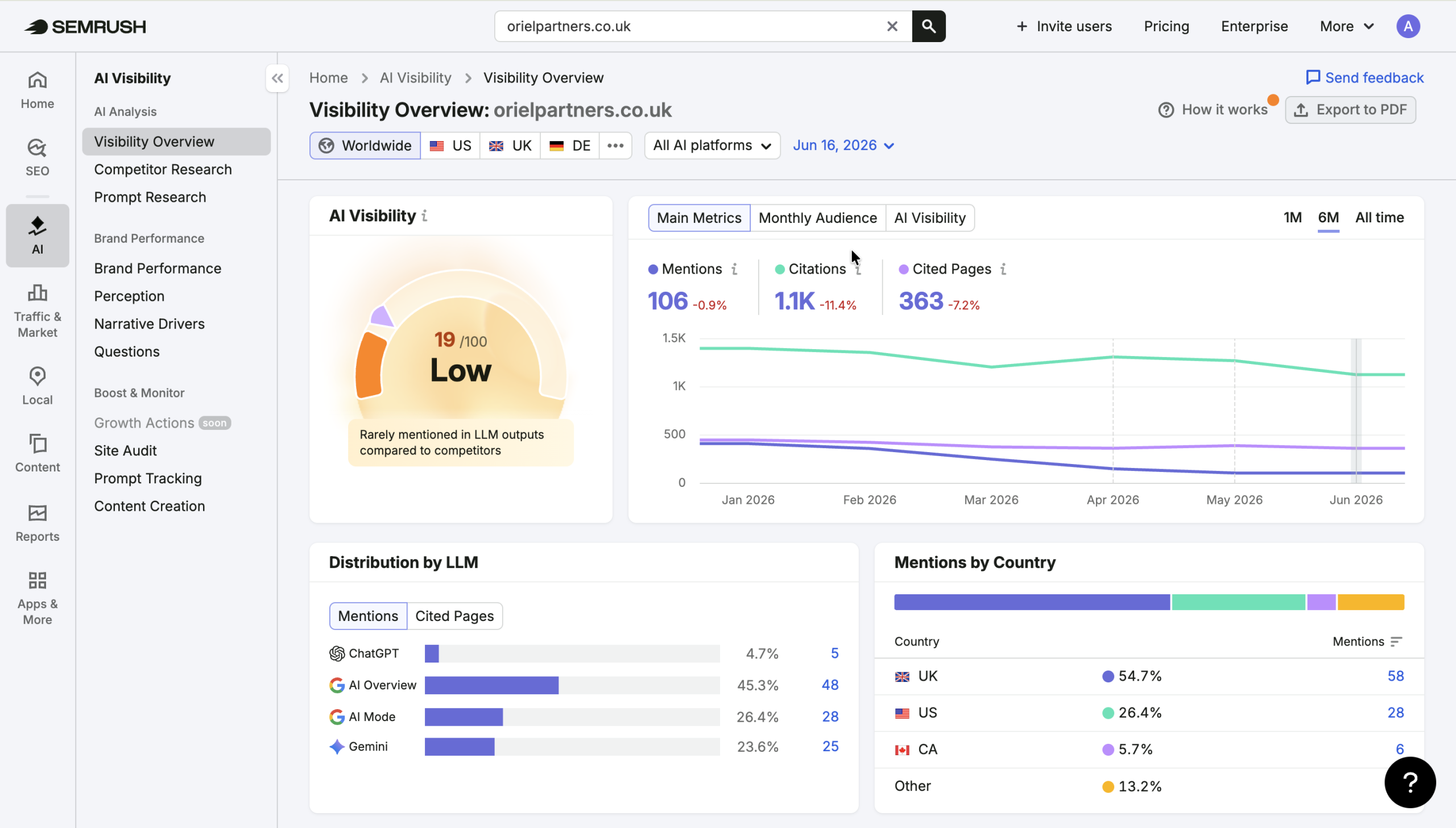
While the broader SEO suite handles keyword research (27.5B keywords), backlink intelligence (43T backlinks), technical audits, and content optimization.
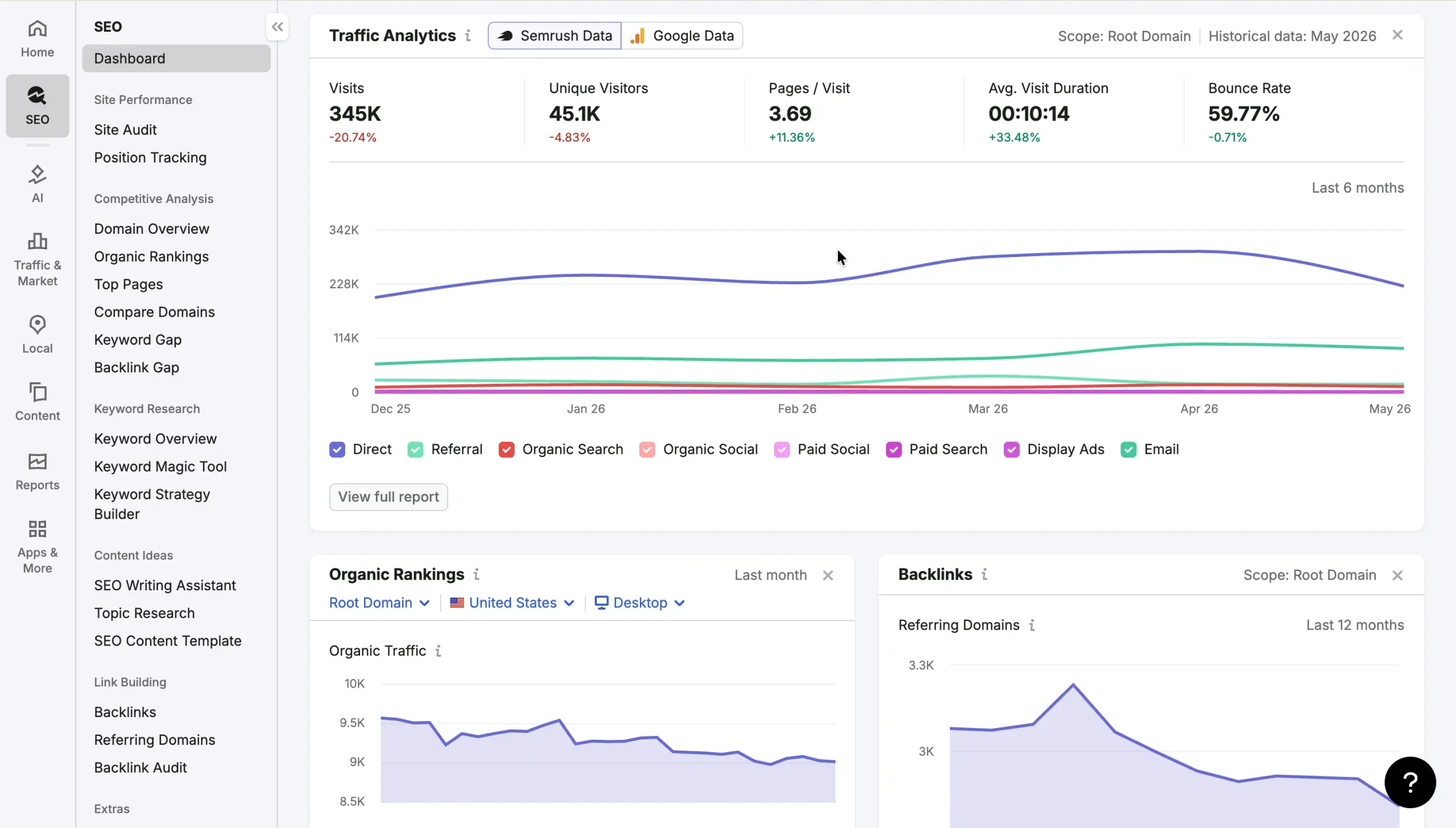
The internal use case is worth flagging: Semrush’s own team grew their AI share of voice from 13% to 32% in a single month using the same stack. It’s a documented case of using the platform to move the needle, not just measure it.
In practice, the workflow usually looks like this: build a prompt library mapped to your buyer funnel, add up to nine competitors, then track citation share, mentions, and sentiment per prompt across the major AI engines.
When competitors get cited and you don’t, the backlink and link-building tools surface the domains worth targeting for outreach.
The AI site audit catches any retrieval-readiness issues — technical problems that prevent AI bots from indexing your pages cleanly. For multi-market programs, Enterprise AIO scales the same workflow across 38 countries and 28 languages.
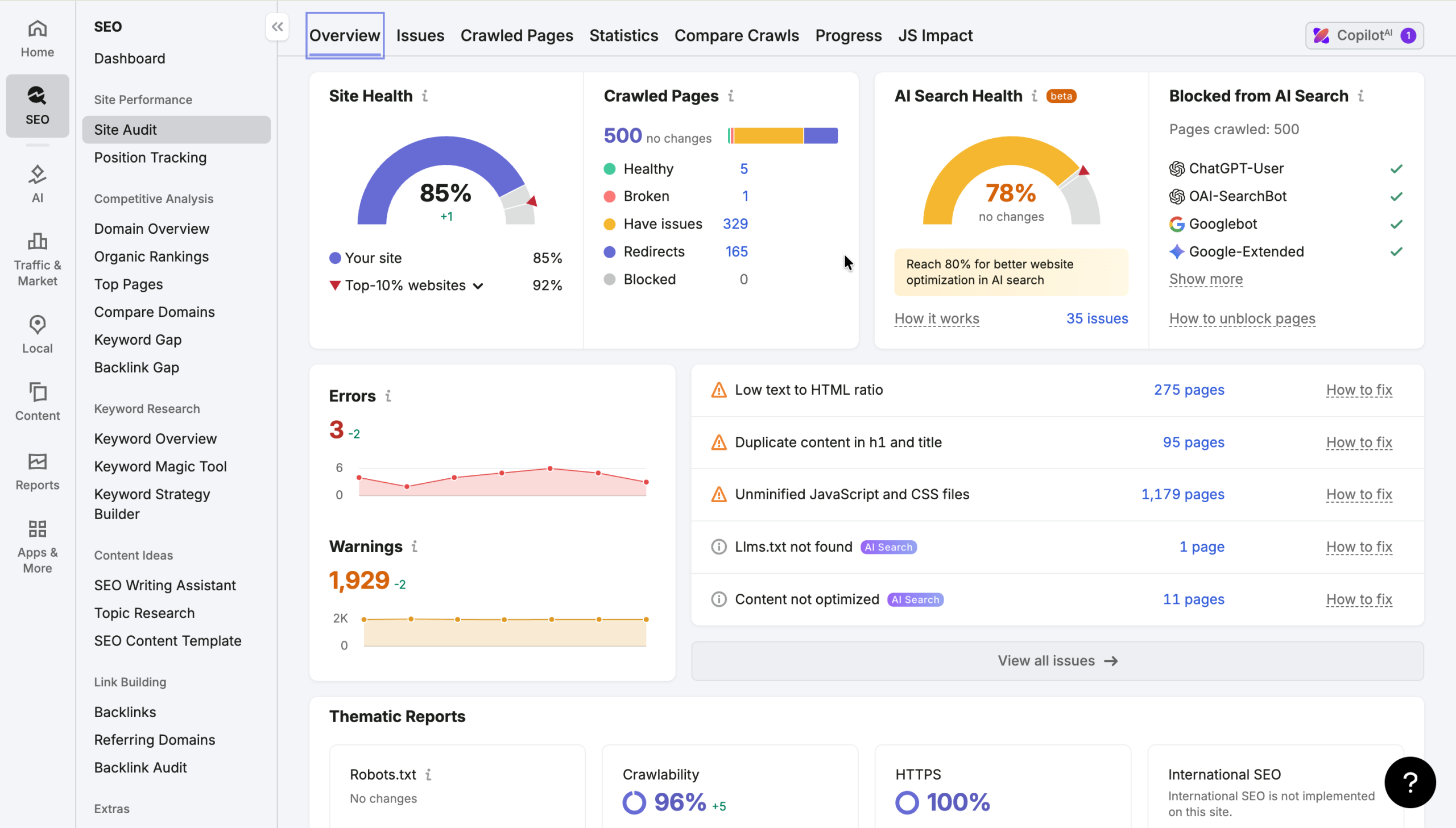
Where Semrush is less ideal: teams without existing SEO workflows may find the broader platform overwhelming if they only need lightweight AI mention monitoring.
Supported AI platforms
ChatGPT, Perplexity, Gemini, Google AI Mode, and Copilot in the core AI Visibility Toolkit.
Enterprise AIO extends coverage to Claude, DeepSeek, and Grok across 38 countries and 28 languages.
Data collection
Semrush uses two authorized external methods and doesn’t host or run AI models itself.
It collects model outputs through LLM providers’ official APIs for direct, compliant access, and supplements these with trusted third-party data providers that replicate real-world responses as users actually see them — capturing UI snapshots, including RAG data, for a more accurate read on the real answer.
This hybrid approach combines API-level consistency with the real-world accuracy of UI-based collection.
Data reporting
Semrush supports CSV exports across reports. The AI Visibility Toolkit does not currently offer a Looker Studio integration.
Plans & pricing
Semrush offers a standalone AI Visibility plan at $99 per month per domain, which include:
- 1 Domain for Brand Performance analysis
- 25 custom prompts tracked daily
- AI competitor analysis and prompt research
- Site audit for AI readiness
- Mentions tracking from ChatGPT, Google AI, Gemini, and Perplexity
You can increase the limits by purchasing add-ons:
- Additional domains: $99 per domain per month
- Additional prompts: Track 50 more prompts for $60 per month
Semrush also offers integrated Semrush One plans that bundle SEO and AI Visibility toolkits:
- Starter ($199/mo): Monitor up to 5 websites in the SEO monitoring tools, 50 prompts, and 500 keywords (daily tracking)
- Pro+ ($299/mo): Monitor up to 15 websites in the SEO monitoring tools, 100 prompts, and 1,500 keywords (daily tracking)
- Advanced ($549/mo): Monitor up to 40 websites in the SEO monitoring tools, 200 prompts, and 5,000 keywords (daily tracking)
OpenLens – Top pick for GEO Readiness Audit
Best for: SEO and marketing agencies that want to start tracking their clients’ AI visibility.
OpenLens pros:
- Forever free plan with generous features (2 seats and 3 projects, 1,000 pooled credits a month, weekly and monthly tracking, 50 MCP calls and 100 API calls included each month, and more)
- MCP calls and API calls so you can integrate OpenLens with your AI agents
- An AI agent inside the platform. You can open the agent from any project and ask about your AI visibility in plain language
- Integrations with Google Search Console and Google Analytics
- Offers GEO audit tools like AI Indexing, Site Readiness, and Content Audit
OpenLens cons:
- Still a pretty new tool, so expect some rough edges
- No citation analysis per prompt
If you’re looking for a free AI visibility tracker, OpenLens is one of the best available options right now.
The tool offers a generous free plan that includes:
- 2 seats and 3 projects
- 1,000 monthly credits
- Weekly and monthly tracking
- 50 MCP calls and 100 API calls each month
- Prompt tracking on three major AI platforms: ChatGPT, Perplexity, and Google AI
To get started, you simply need to add your website domain, and the tool will automatically suggest your competitors and core topics.
From there, it will generate several prompts for each topic and start running those prompts on the selected AI platforms.
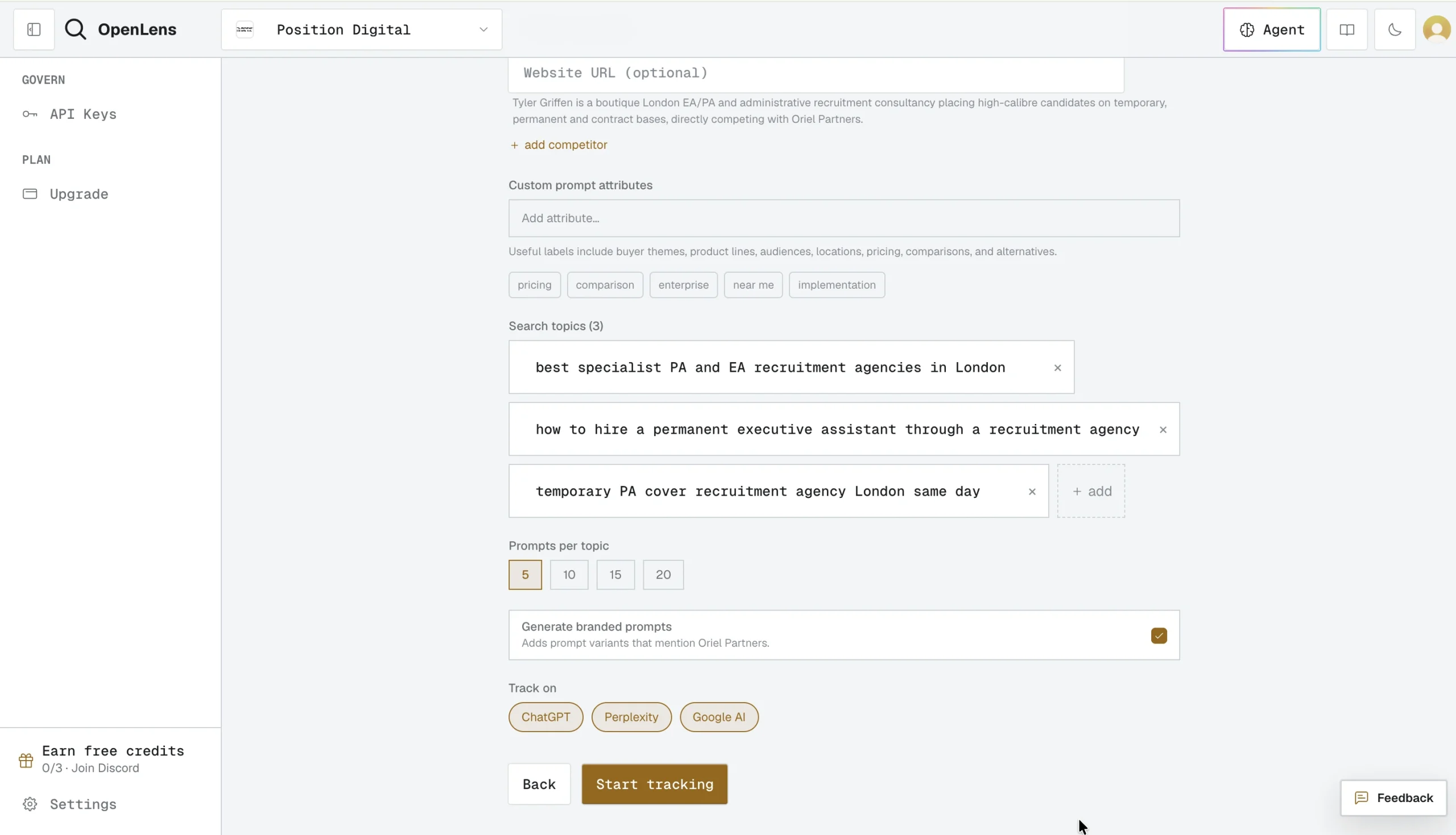
Once done, you’ll get a report of your AI visibility score, share of voice, average position, and the total number of mentions.
I also really like the fact that OpenLens shows your visibility on the topical level, instead of focusing on individual prompts. This lets you know where your brand is gaining traction and where it still has room to grow across topics that matter to you.
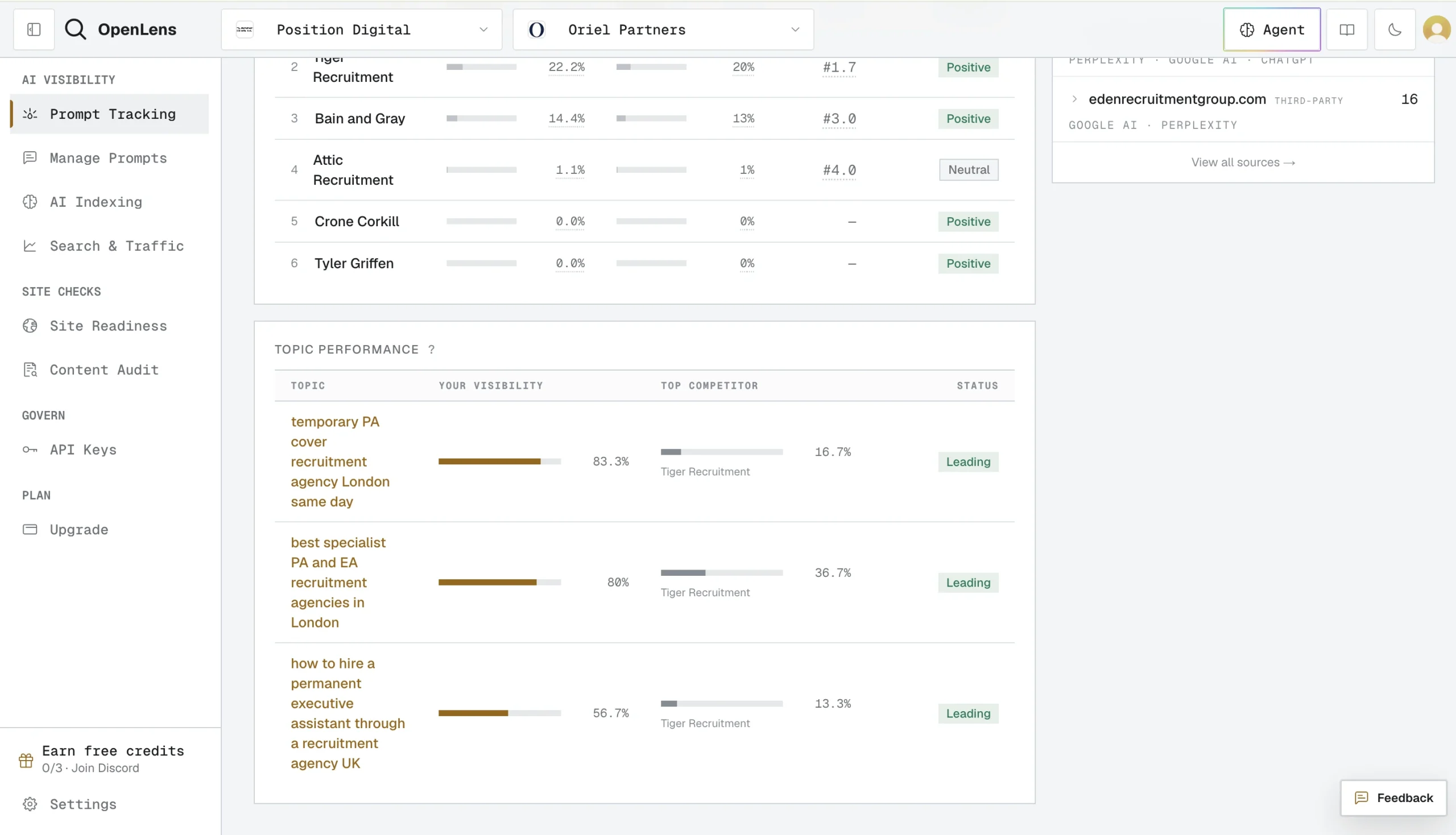
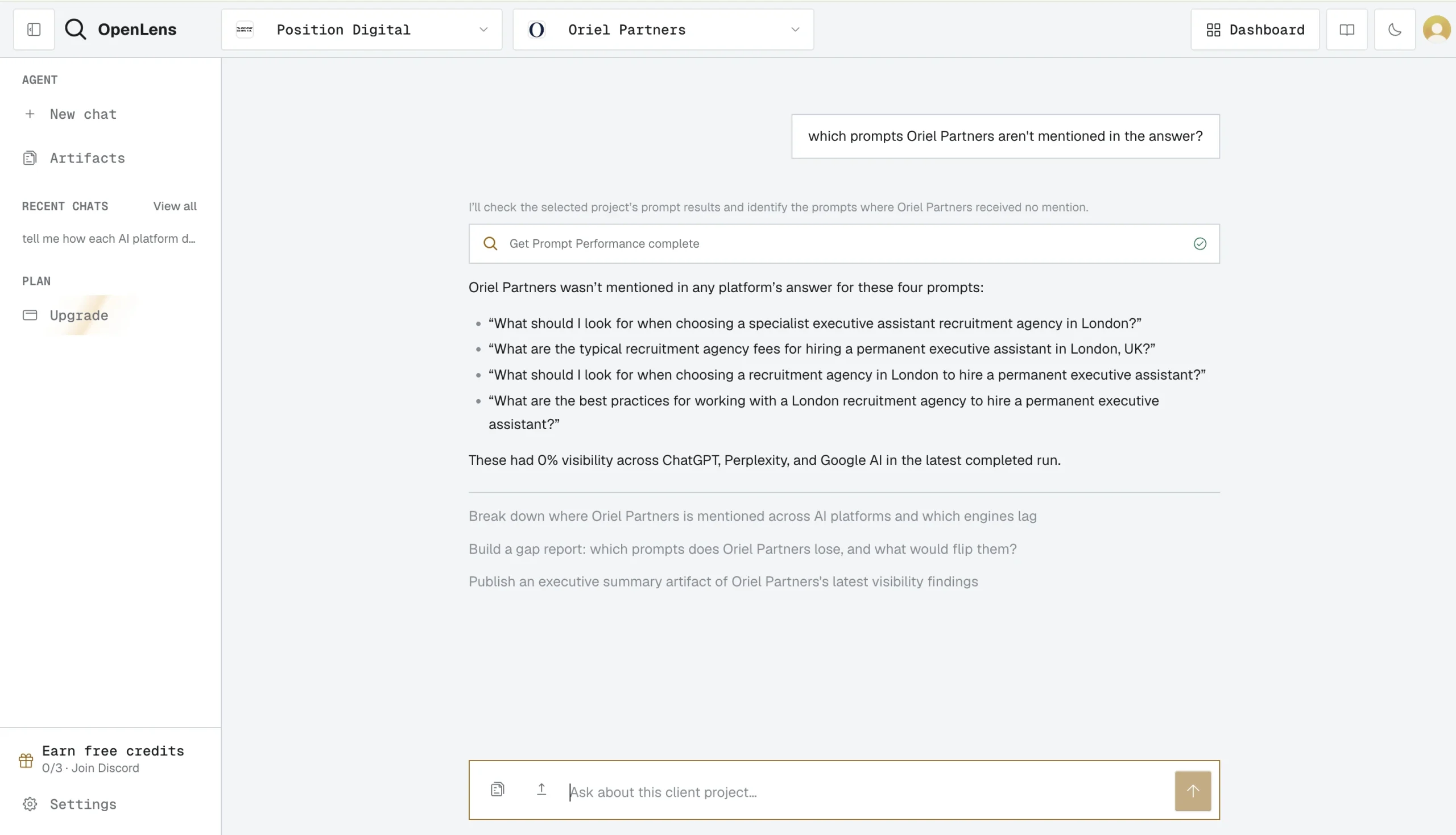
There’s also an AI agent living inside the dashboard. You can open the agent from any project and ask about your AI visibility in plain language.
This is useful because it removes the need to manually dig through charts, filters, and reports to find insights.
Instead of analyzing the data yourself, you can ask questions in plain English, such as:
- “Why did our visibility drop this month?”
- “Which topics have the biggest growth opportunity?”
- “How do we compare to our top competitors?”
- “Which pages are driving the most AI mentions?”
Beyond tracking your visibility, OpenLens also helps you understand why you’re being mentioned—or why you’re not.
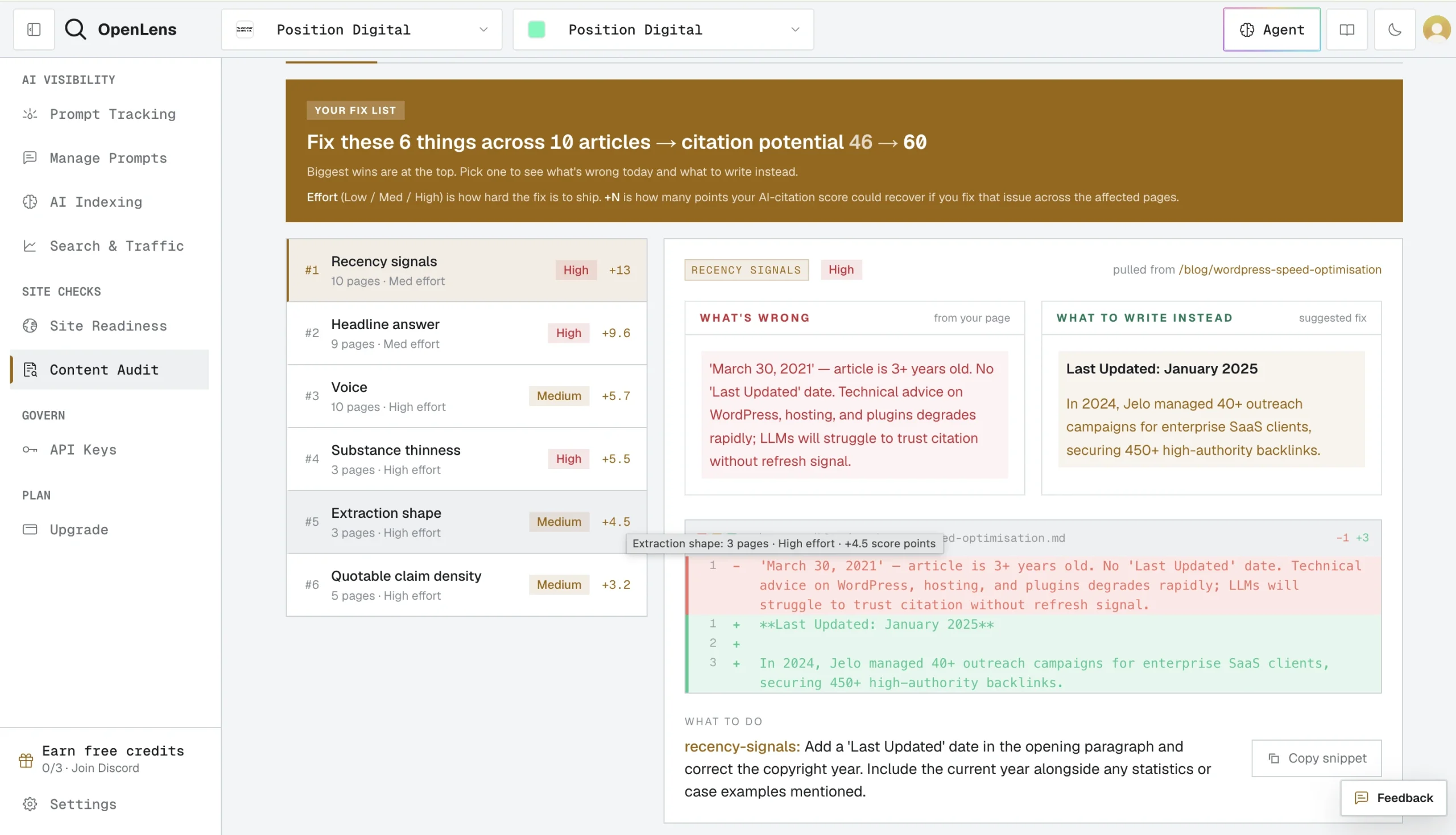
The platform includes a suite of GEO audit tools that evaluate how well your website is prepared for AI search engines and AI assistants:
- AI Indexing. Checks whether your pages are indexed by AI platforms. This is especially useful as part of a technical SEO or GEO audit because pages that aren’t properly indexed are unlikely to appear in AI-generated answers.
- Site Readiness. Analyzes whether your website is optimized for AI crawlers and agents. It looks at factors that affect discoverability and retrieval, helping you identify technical improvements that can increase your chances of being surfaced in AI responses.
- Content Audit. Scans your content to identify gaps and optimization opportunities for AI search. It highlights areas where your pages could provide stronger topical coverage, clearer structure, or more useful information, making them more likely to be referenced by AI models.
One drawback, however, is that OpenLens doesn’t provide citation analysis at the individual prompt level.
It shows the total number of times your pages are cited and identifies which pages received those citations.
However, it doesn’t tell you which specific prompts triggered each citation or how your citations vary across individual queries, as many other AI visibility tools do.
Supported AI platforms
ChatGPT, Perplexity, and Google AI on the free tier. DeepSeek is available in the Starter plan, while Gemini is included in the Agency plan.
The Agency plan also includes Claude and Grok tracking using a direct API integration.
Data collection
For ChatGPT, Perplexity, Google AI, and Gemini, OpenLens sends queries through the same chat interfaces consumers use, capturing responses exactly as users see them—including citations and UI elements.
For Grok, Claude, and DeepSeek, this isn’t currently possible, so OpenLens uses their public APIs instead. This returns the same model outputs available to developers, along with any search context the API provides.
Data reporting
Once you complete a run, you can download the AI visibility report as a PDF file, which is suitable for sharing with clients.
Plans & pricing:
- Free ($0): 2 seats, 3 projects, 1,000 credits a month (plus 75 per project), weekly and monthly tracking, 50 MCP calls and 100 API calls each month, 10 manual runs a day per user, 150 AI Indexing pages a month, supports ChatGPT, Perplexity, Google AI
- Starter ($39.99/month/seat): Max 5 seats and 5 projects, 8,000 credits per seat (plus 200 per project) each month, 500 MCP calls and 500 API calls each month, 10 manual runs a day per project, 1,000 AI Indexing pages per seat each month, supports ChatGPT, Perplexity, Google AI, DeepSeek
- Agency ($299.99/month/seat): Unlimited seats and unlimited projects, 50,000 credits per seat (plus 500 per project) each month, daily tracking, 2,000 MCP calls and 2,500 API calls each month, 10,000 AI Indexing pages per seat each month, supports ChatGPT, Perplexity, Google AI, DeepSeek, Gemini, Claude, Grok
Promptwatch – Top Pick for AI-Optimized Content
Best for: Brands and agencies that want to go from “why aren’t we visible” to “here’s the content that fixes it” inside one platform, instead of exporting data into four other tools to close the loop.
Promptwatch pros:
- Built on a proprietary dataset of 100M+ AI Search data points collected daily, which feeds every feature in the platform rather than sitting in a separate reporting layer
- Content Agent doesn’t just draft AI-optimized content — it connects directly to your CMS and can publish it automatically
- Prompt suggestions can be pulled from Google Search Console, a seed query, or an existing page on your site, not just AI-guessed lists
- Off-site mentions tracking follows your brand and competitors across the web, not just inside LLM chat interfaces
- Actions turns your visibility data into a prioritized, step-by-step list of what to fix first
- Agent Chat lets you ask questions about your AI Search performance in plain language and act on the answer without leaving the conversation
- MCP and API access included on every plan, including the entry tier
- Tracks all major models — ChatGPT, Perplexity, Google AI Overviews, Google AI Mode, Claude, Gemini, Meta Llama, DeepSeek, and Grok — rather than gating engines behind higher tiers
Promptwatch cons:
- Data Studio integration and Custom Reports are reserved for the Professional plan and up, so Essential users are limited to the native dashboard
- The Business plan has no self-serve checkout — you’ll need to book a demo rather than sign up with a card
Promptwatch is the closest thing on this list to a full GEO operating system rather than a pure tracker.
The platform is built around one dataset: 100M+ data points collected daily on what actually works in AI Search.
That same dataset powers the Content Agent, the Recommendations engine, and Content Refresh, so the insights you see in your dashboard are the same ones feeding the content the platform generates for you.
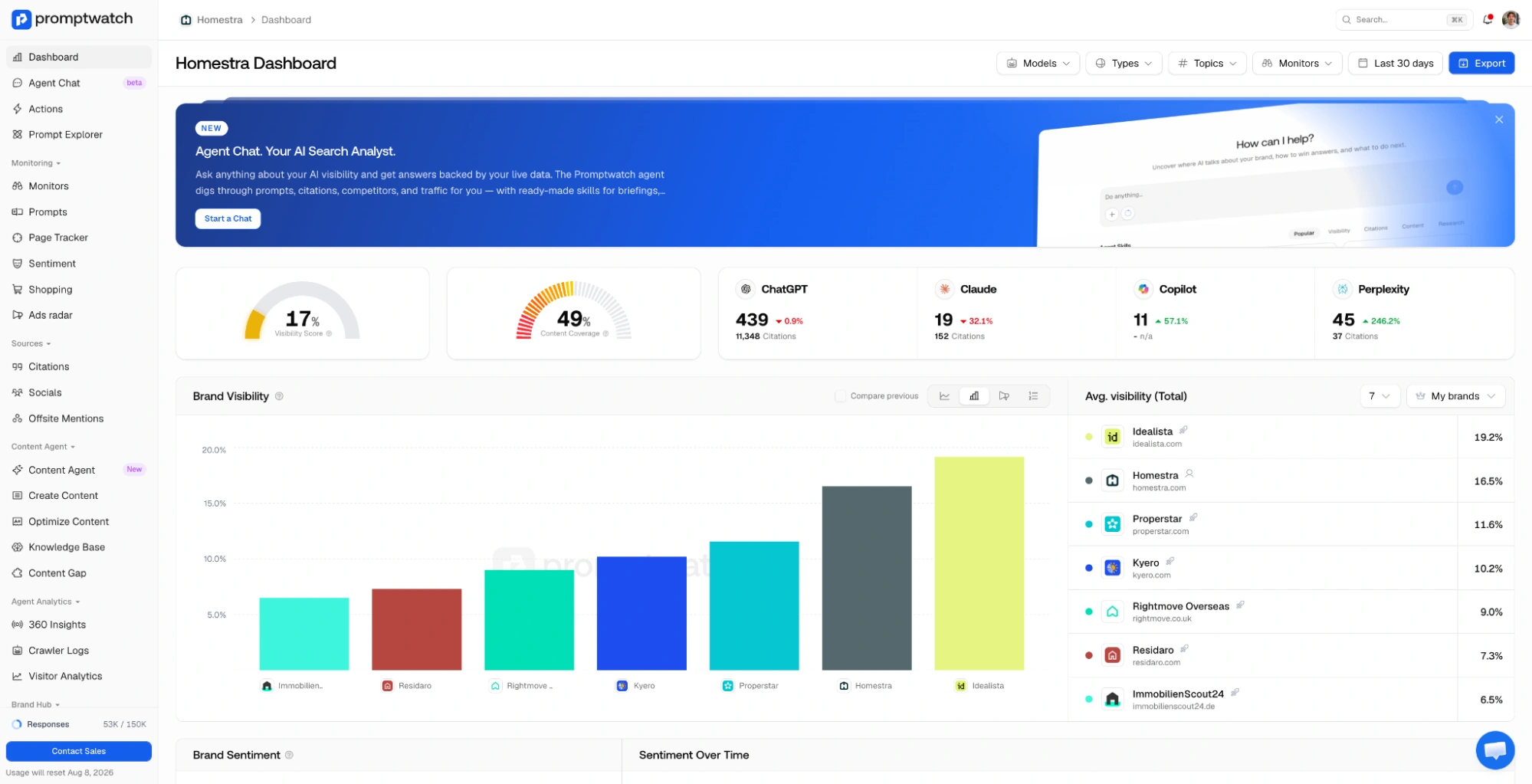
Setup starts with prompt tracking, and Promptwatch gives you more than one way to build that list.
You can pull suggested prompts straight from Google Search Console, generate them from a seed query, or feed in a specific page on your site and let the platform suggest what people are asking AI about it.
From there, Content Gap Analysis maps your existing pages against the AI responses you’re tracking, showing exactly where your content answers the prompt and where it doesn’t — down to a percentage covered and a count of open gaps.
Where Promptwatch pulls ahead of most tools in this category is what happens after the gap is found.
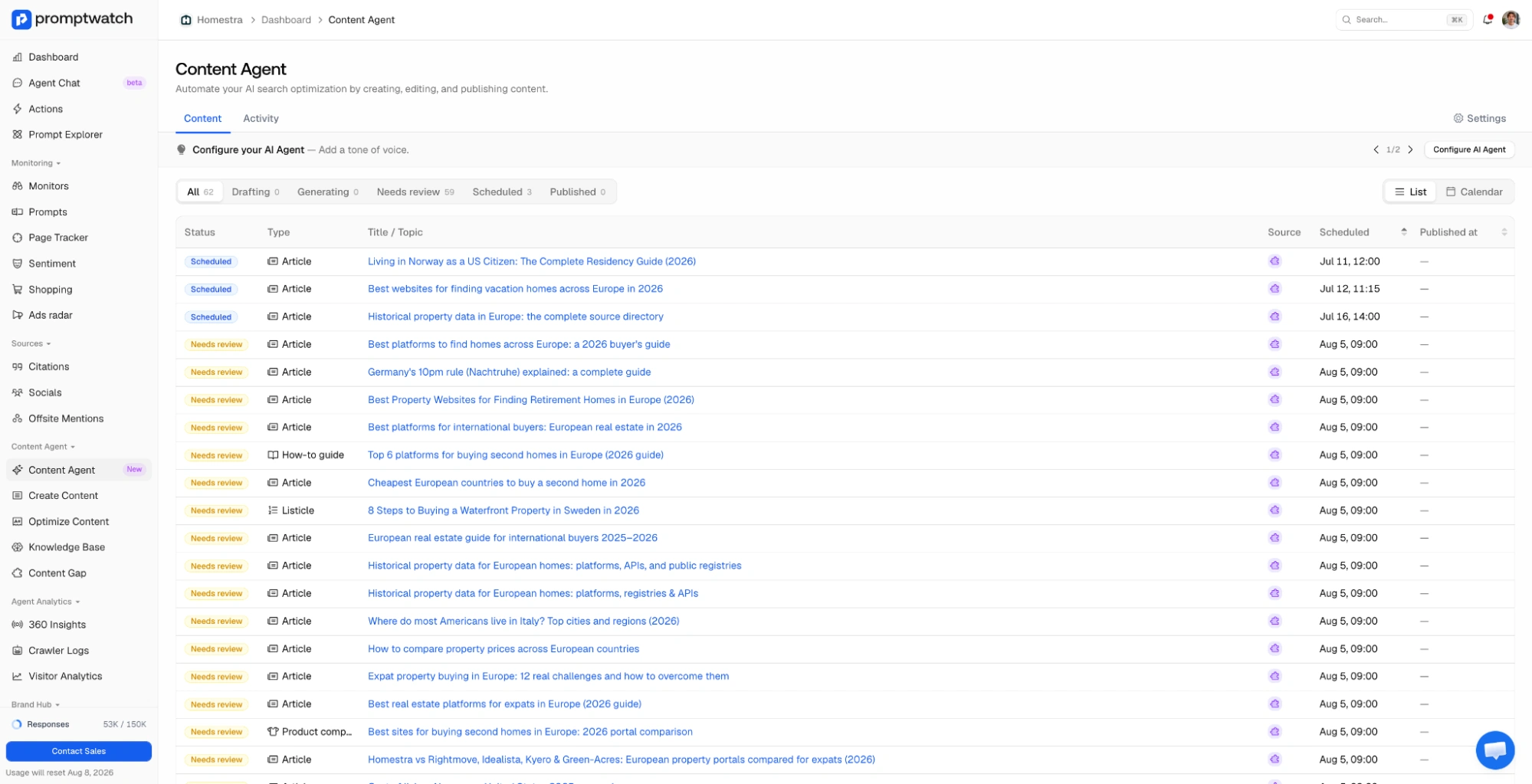
The Content Agent lets you configure a brief with your own branding, pull in search results, news, and live web screenshots, then generate a page built to close that gap — and it can publish straight to your connected CMS instead of leaving you to copy-paste the draft yourself.
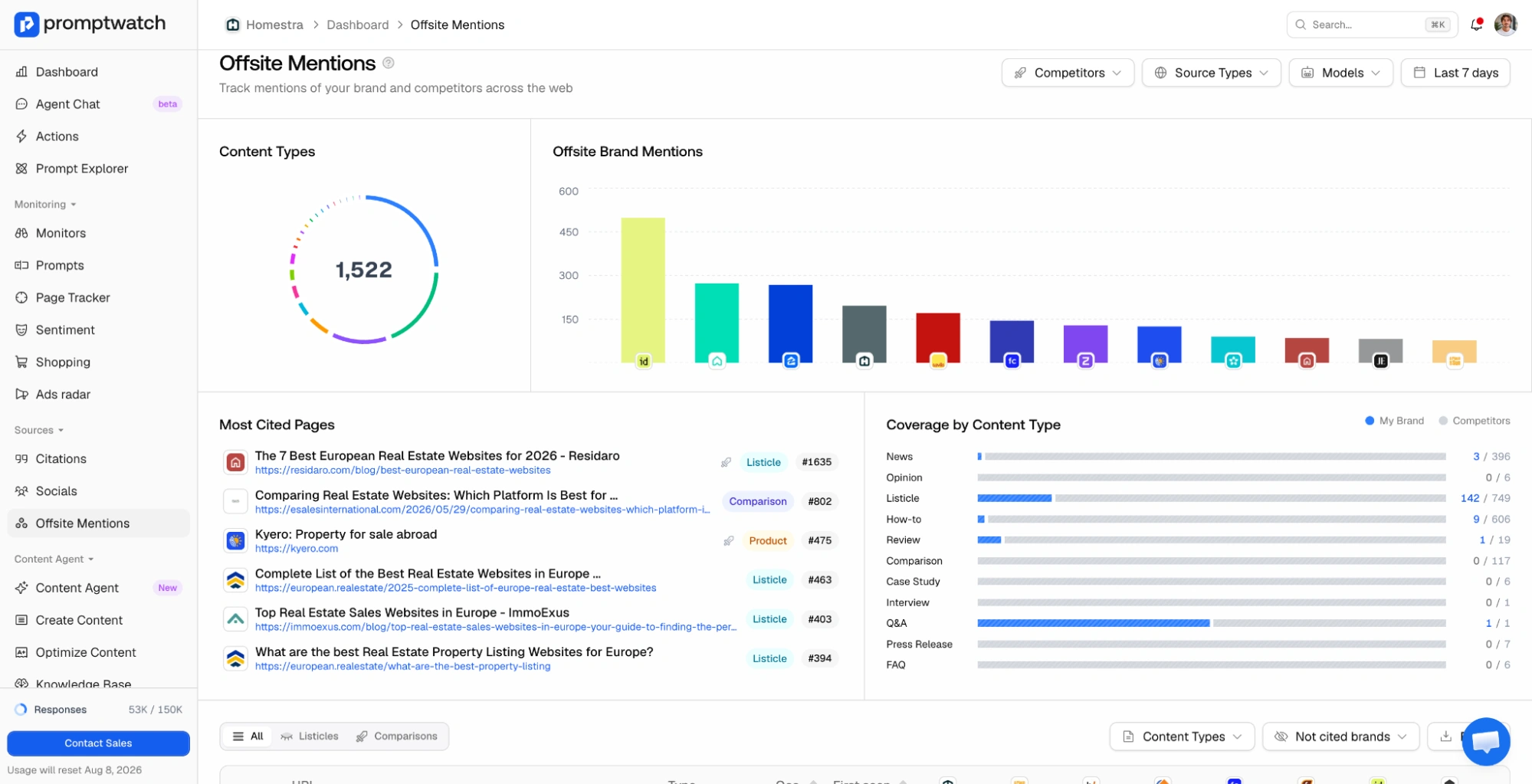
Off-site mentions round out the picture by tracking where your brand (and your competitors) get talked about across the wider web, not just inside the LLM interfaces themselves.
This is useful for spotting the Reddit threads, review sites, and third-party pages that are quietly feeding AI’s opinion of your brand before you ever see a citation.
Two features make this feel less like a reporting tool and more like a working assistant:
- Actions, which translates the visibility data into a clear, prioritized list of next steps rather than leaving you to interpret charts
- Agent Chat, which lets you ask about your performance in plain language and act on the answer without switching tabs
For teams that already have a reporting stack, Promptwatch connects out via API and MCP on every plan, so you can pipe the data into your own dashboards or hook it into your preferred AI agent.
Supported AI platforms
ChatGPT, Perplexity, Google AI Overviews, Google AI Mode, Claude, Gemini, Meta Llama, DeepSeek, and Grok, tracked across every plan.
Data collection
Promptwatch collects data by scraping the actual UI interfaces of the LLMs people use every day — ChatGPT, Gemini, AI Overviews, Perplexity, and others — so responses reflect what a real user would see rather than a raw API output.
Data reporting
Data Studio integration is available from the Professional plan up, alongside Custom Reports. API and MCP access are included on every plan, including Essential.
Plans & pricing
- Essential ($95/month): 1 project, 50 prompts, 6,000 responses tracked, 5 AEO articles, knowledge base, country-level tracking, MCP and API access
- Professional ($245/month) – “Most Popular”: 2 projects, 150 prompts, 18,000 responses, 15 AEO articles, state and city-level tracking, Agent Analytics, Data Studio integration, MCP and API access
- Business ($579/month): 5 projects, 350 prompts, 42,000 responses, 30 AEO articles, state and city-level tracking, Agent Analytics, Custom Reports, MCP and API access
Essential and Professional both come with a 7-day free trial; Business requires booking a demo.
Rankscale – Top Pick for Drill-Down Reporting
Best for: Agencies and enterprise teams that need AI visibility data they can plug into existing workflows without paying for engines tier by tier.
Rankscale pros:
- Full drill-down from headline Visibility Score to the individual prompt, exact AI answer, specific citation, and sentiment behind it – nothing is a black box
- 17+ AI engines included in every plan, no upsell (ChatGPT, Perplexity, Claude, Gemini, Google AI Overviews, Google AI Mode, DeepSeek, Grok, Copilot, Mistral, and more)
- 240+ regions and all languages, with monitoring intervals from hourly to monthly
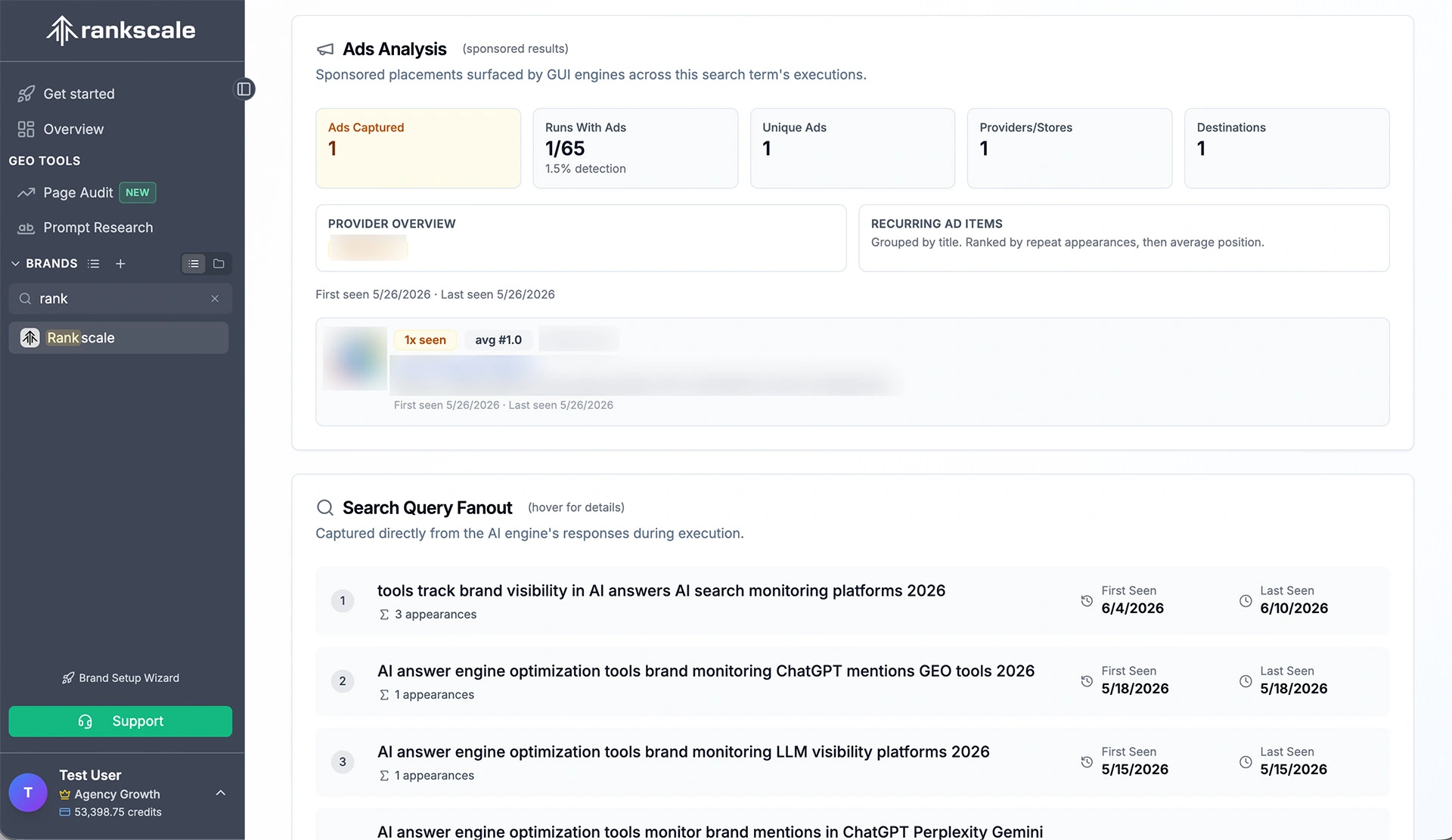
- Ads Analysis shows you who runs ads on your search terms in ChatGPT, AI Overviews and Google AI Mode. See how many advertisers compete with your queries and how often they appear
- MCP, Native Data Studio integration, REST API, CSV and Google Sheets export, plus white-label and shareable client dashboards
- AI Commerce and tracking for product, retailer, and buybox visibility across Google AI Mode, ChatGPT, and Bing Copilot shopping
- Prompt Decoding: an exclusively licensed methodology (by Hanns Kronenberg) for reconstructing real user-intent prompts, independently validated by the Harvard/OpenAI study (NBER Working Paper 34255)
- Flexible credit model that scales up or down without forcing a tier change
Rankscale cons:
- The depth of drill-down and configuration can feel like a lot for teams who only want lightweight mention monitoring
- Built for teams with a real GEO process; single-brand users may not use the full engine and region coverage
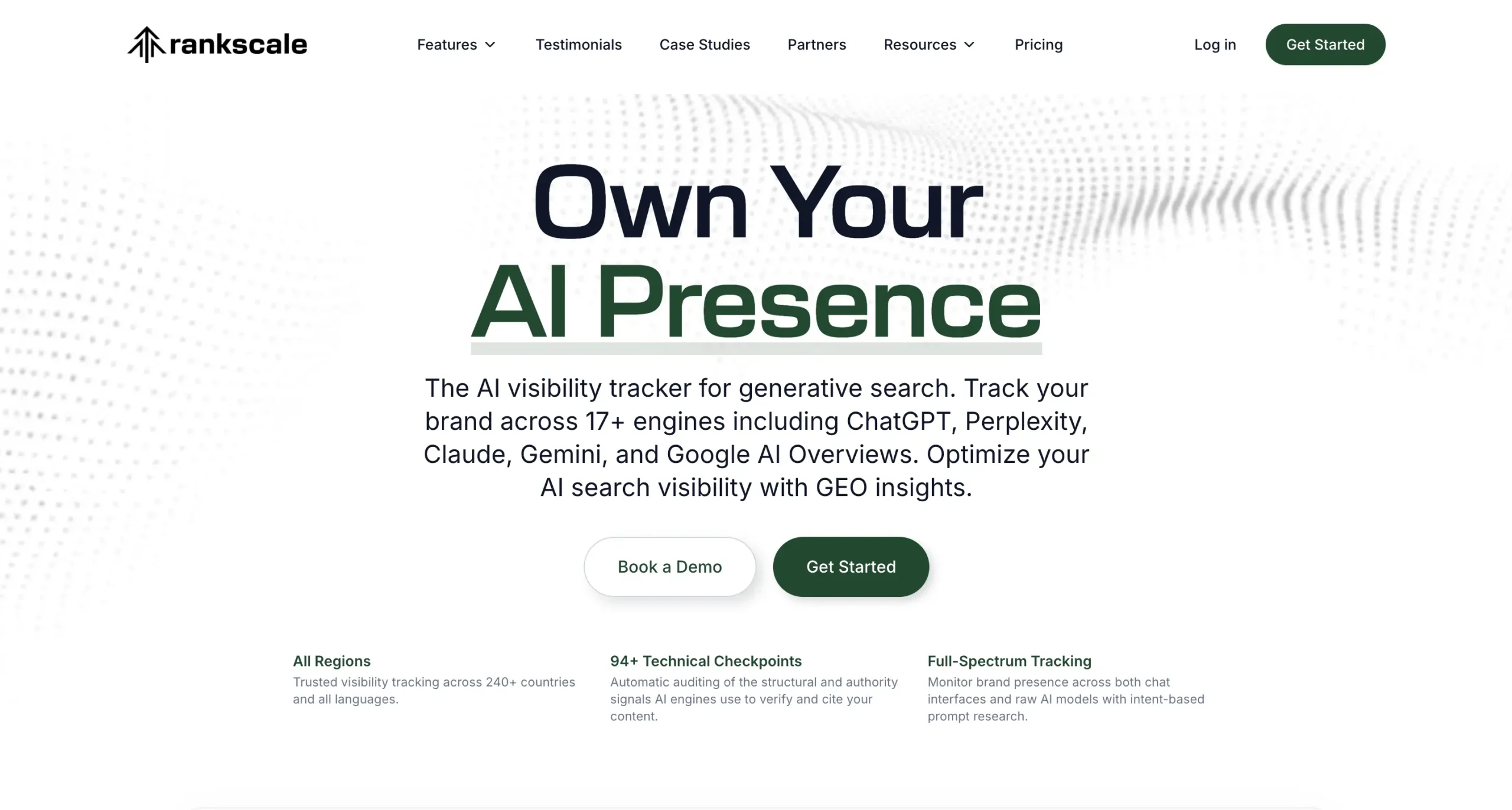
Rankscale tracks 17+ engines from a single account, spanning both consumer chat interfaces (ChatGPT, Perplexity, Gemini, Claude, Copilot, Grok, DeepSeek) and the underlying API models (GPT-5, Gemini 3.0/3.1, Mistral Large, Perplexity Sonar variants).
New models are added to all accounts as they launch, so customers aren’t pushed to a higher tier every time a new engine matters. Coverage extends across 240+ countries and all languages, which is genuinely wide for the category.
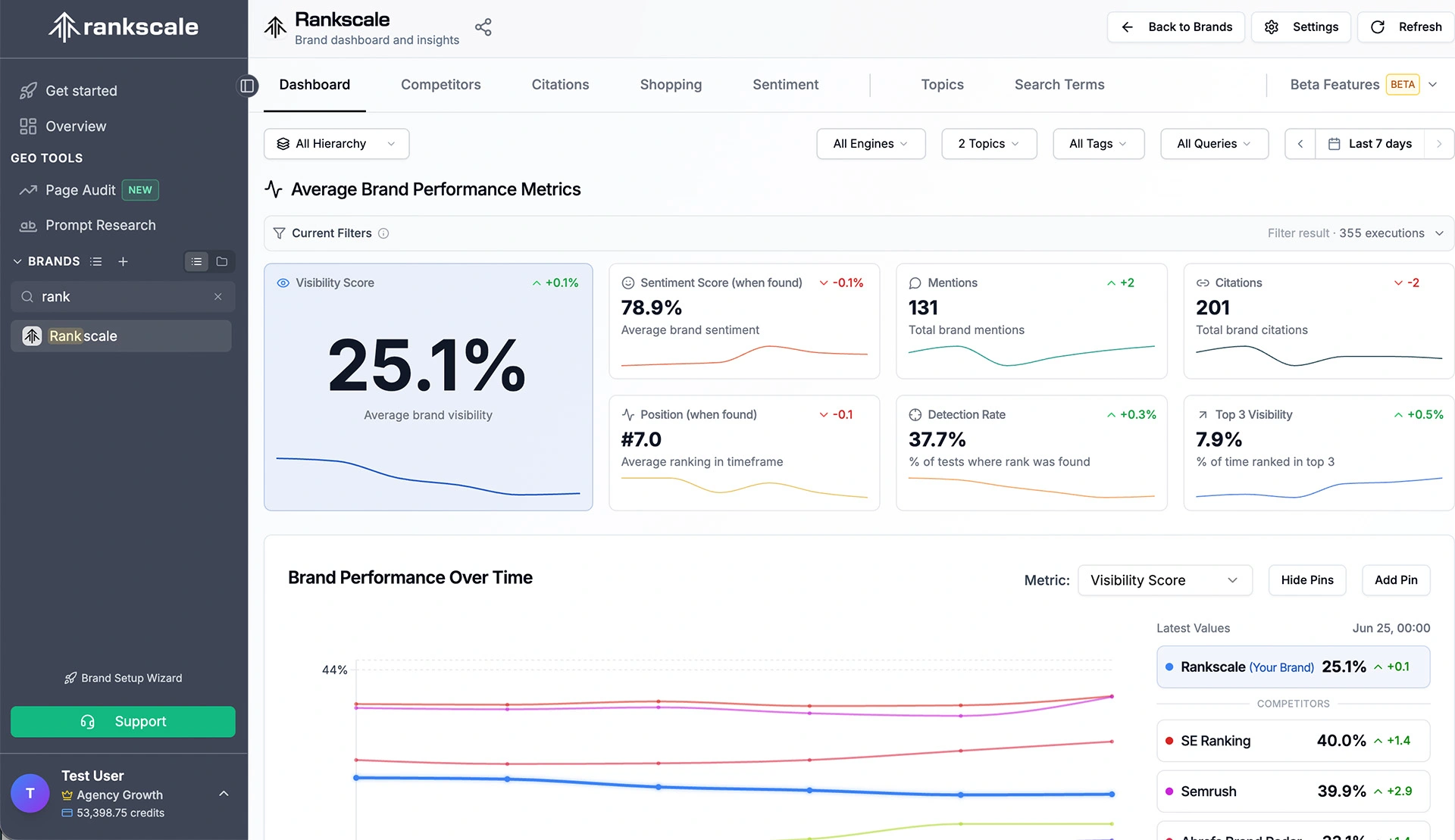
Another unique feature is the integrated organic and paid AI visibility view. Beyond organic mentions, Rankscale identifies sponsored placements and ads that appear inside AI search experiences, showing which advertisers are winning paid visibility for a given prompt.
Most competitors stop at organic tracking, so this gives marketing and paid search teams a more complete picture of the AI search landscape rather than just the GEO/SEO angle.
Other standout features include:
- Rankscale Scout turns large volumes of data into clear next steps. Ask the Rankscale Scout to get meaningful insights about search query fanout, critical missing sources and content types that perform well
- Rankscale MCP lets you easily hook Rankscale Performance Data into your most preferred AI Agent.
Supported AI platforms
ChatGPT, Perplexity, Claude, Gemini, Google AI Overviews, Google AI Mode, DeepSeek, Grok, Microsoft Copilot, and Mistral, among 17+ engines, all included in every plan.
Data collection
Rankscale uses transparent, outside-in testing. Because AI engines are inherently opaque, it measures them rigorously from the outside, and every metric traces back to the actual AI response, citation, and prompt you can inspect.
Data reporting
Rankscale offers full export via REST API, CSV, and Google Sheets, plus native Looker Studio integration, white-label dashboards, and shareable client dashboards. Additionally you can connect the Rankscale MCP to chat with your data.
Plans & pricing
- Essentials ($20/month): 120 monthly credits, 2 brand dashboard slots, up to 480 AI responses, 10 page audits per month, 17+ AI engines supported
- Pro ($99/month): 1,200 monthly credits, 10 brand dashboard slots, up to 4,800 AI responses, 50 page audits per month, 17+ AI engines supported
- Growth ($385/month): 5,500 monthly credits, 50 brand dashboard slots, up to 22,000 AI responses, 200 page audits per month, 17+ AI engines supported
- Enterprise ($780/month): 12,000 monthly credits, 100 brand dashboard slots, up to 48,000 AI responses, 200 page audits per month, 17+ AI engines supported, SSO, onboarding, SLAs, and a dedicated success manager for larger teams
SE Ranking – Top Pick for Agencies Tracking AI Visibility Alongside SEO
Best for: Agencies and mid-market teams that want AI visibility tracking connected to their organic, competitor, and traffic data, rather than siloed in a standalone tool.
SE Ranking pros:
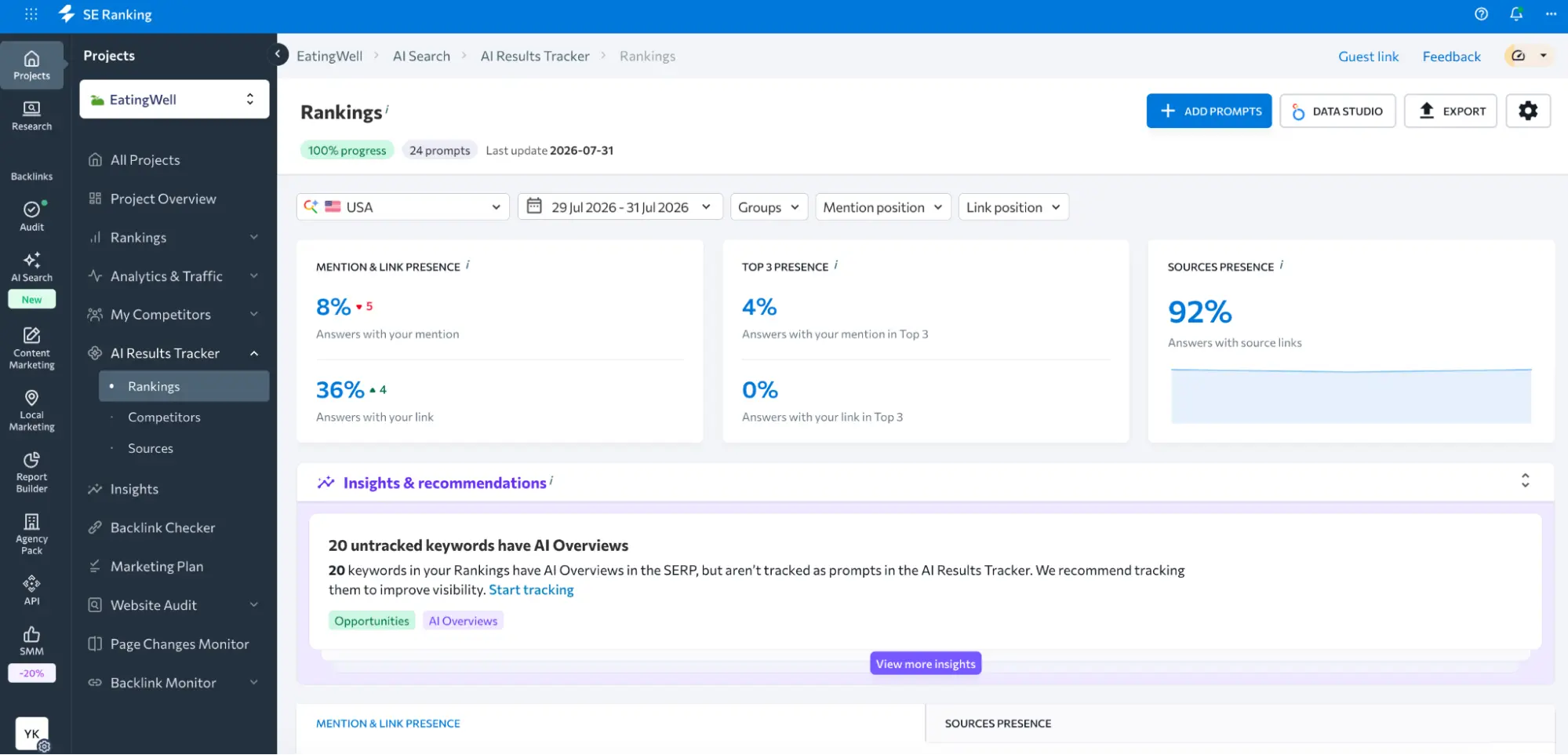
- Tracks brand mentions and citations across AI Overviews, AI Mode, ChatGPT, Gemini, and Perplexity, with the share of prompts where you appear overall and in the top three
- Cached AI answer text, so you can read how each engine actually describes your brand
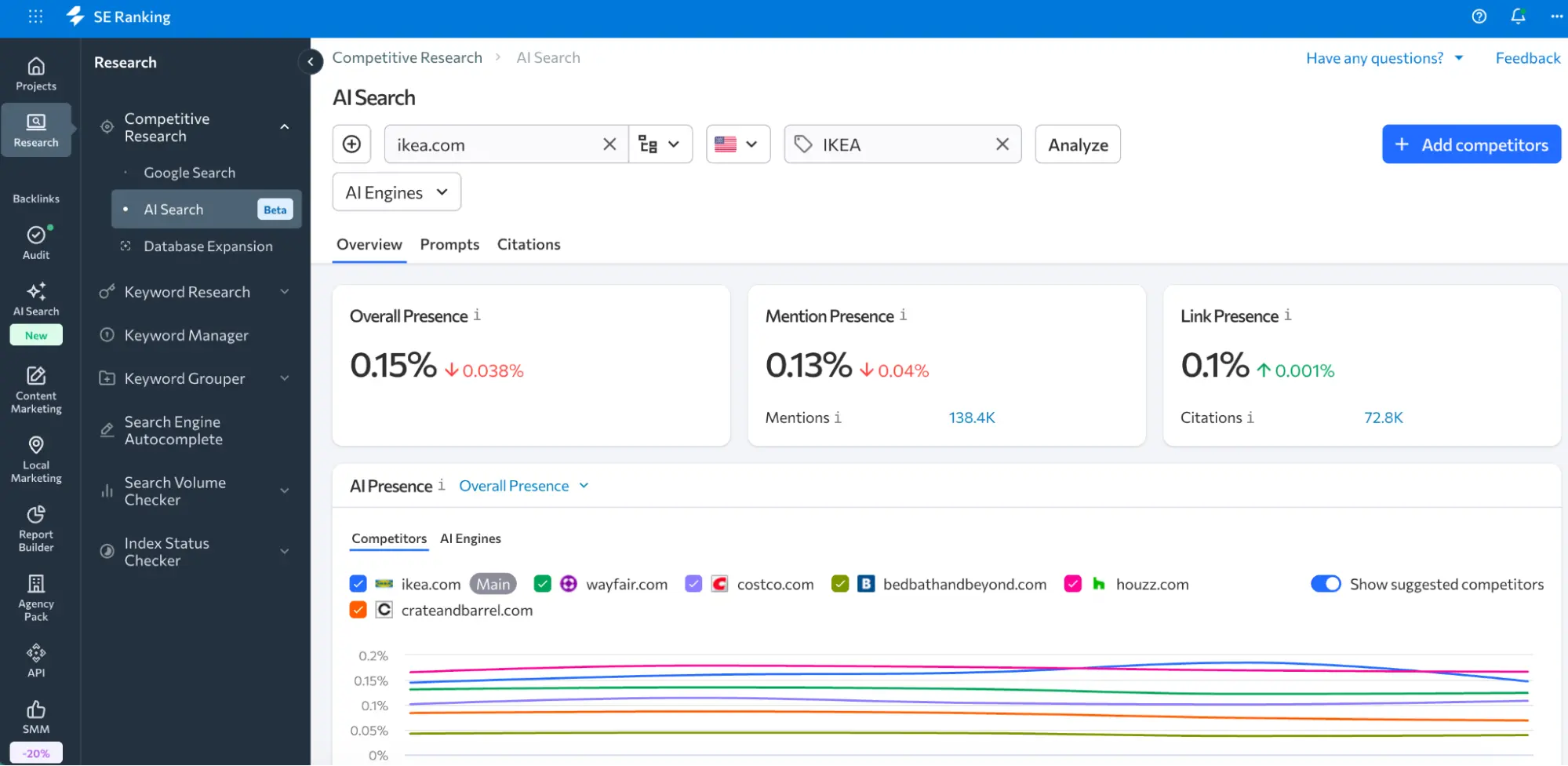
- AI Competitor Research analyzes any domain’s AI presence without setting up a project, with competitive gap analysis and citation tracking
- Insights surface next steps: prompts already featuring your brand, sources citing competitors but not you, and untracked keywords that trigger AI Overviews
- Top-cited sources flagged as outreach and partnership targets
- Prompt Groups and bulk CSV/text prompt import for organizing tracking
- Sits inside the full SEO platform (rank tracking, keyword research, site audit, competitive research) with GA4 integration
- AI Search API and MCP for pulling the data into your own systems and AI assistants
SE Ranking cons:
- No automated hallucination or accuracy detection
- If you only want a lightweight, AI-only tracker, the wider platform is more than you’ll use
SE Ranking is the one I’d point to when AI visibility can’t sit in its own silo.
Its AI visibility tracker covers the engines that matter to most buyers, AI Overviews, AI Mode, ChatGPT, Gemini, and Perplexity, and reports the share of prompts where your brand shows up, including whether it lands in the top three.
Source intelligence is handled well. SE Ranking surfaces the most-cited domains in AI answers and where your citation overlap with competitors sits, which becomes a practical outreach list — the pages worth earning a mention on.
The AI Competitor Research is another feature worth calling out. You can analyze any domain’s AI presence without creating a project, run a competitive gap analysis to see where rivals get cited and you don’t, and watch citation overlap shift over time.
The connection I like most is that a GA4 integration ties AI-search presence to actual site traffic, and SE Ranking’s sister product, Planable, brings social analytics into the same picture.
If you want deeper LLM monitoring (richer sentiment analysis and competitor benchmarking across countries and engines) that lives in SE Visible, available through the AI Search add-on rather than the base plan.
For teams that want the data outside the interface, SE Ranking’s AI Search API pulls AI visibility data (brand presence, share of voice, the prompts that surface a domain, and competitor comparisons) across the same five engines into your own dashboards or workflows.
There’s also an MCP server for querying live SE Ranking data straight from AI assistants like Claude or ChatGPT. Both API and MCP access are included in every plan rather than sold separately.
Where SE Ranking is less ideal: if all you need is a lightweight AI mention tracker, the broader platform is more than you’ll touch, and the deeper sentiment and cross-market benchmarking are gated behind the add-on.
Supported AI platforms
Google AI Overviews, Google AI Mode, ChatGPT, Gemini, and Perplexity.
Data collection
SE Ranking retrieves results through UI-based monitoring. The platform sends queries to AI platforms and collects the responses as a real user would see them. This way, the data reflects live AI behavior rather than sampled outputs.
Data reporting
AI tracking metrics like AI Overview, mention, and link presence, plus trends can be reported directly through SE Ranking’s Report Builder, filterable by prompt group and AI engine. There’s a Data Studio integration for consolidated AI Search performance reports. Also, weekly AI search performance summaries can be emailed to your inbox.
Plans & pricing
SE Ranking includes both SEO and GEO features in every plan, and API and MCP access come with every tier.
- Core ($129/month): 1 user seat, 10 websites to track, 2,000 keywords and 100 AI prompts tracked daily, 5 LLMs, AI Competitor Research for 5 domains
- Growth ($279/month): 3 user seats, 30 websites to track, 5,000 keywords and 250 daily prompts, 5 LLMs, AI Competitor Research for 5 domains
For heavier AI tracking, the AI Search add-on (from $89/month) adds 200+ daily AI prompts, unlimited AI Competitor Research, and SE Visible access.
A 14-day free trial (no credit card) covers 20 AI prompts a day and AI Competitor Research for 3 domains if you want to test it first.
Peec AI – Top Pick for Citation Analysis
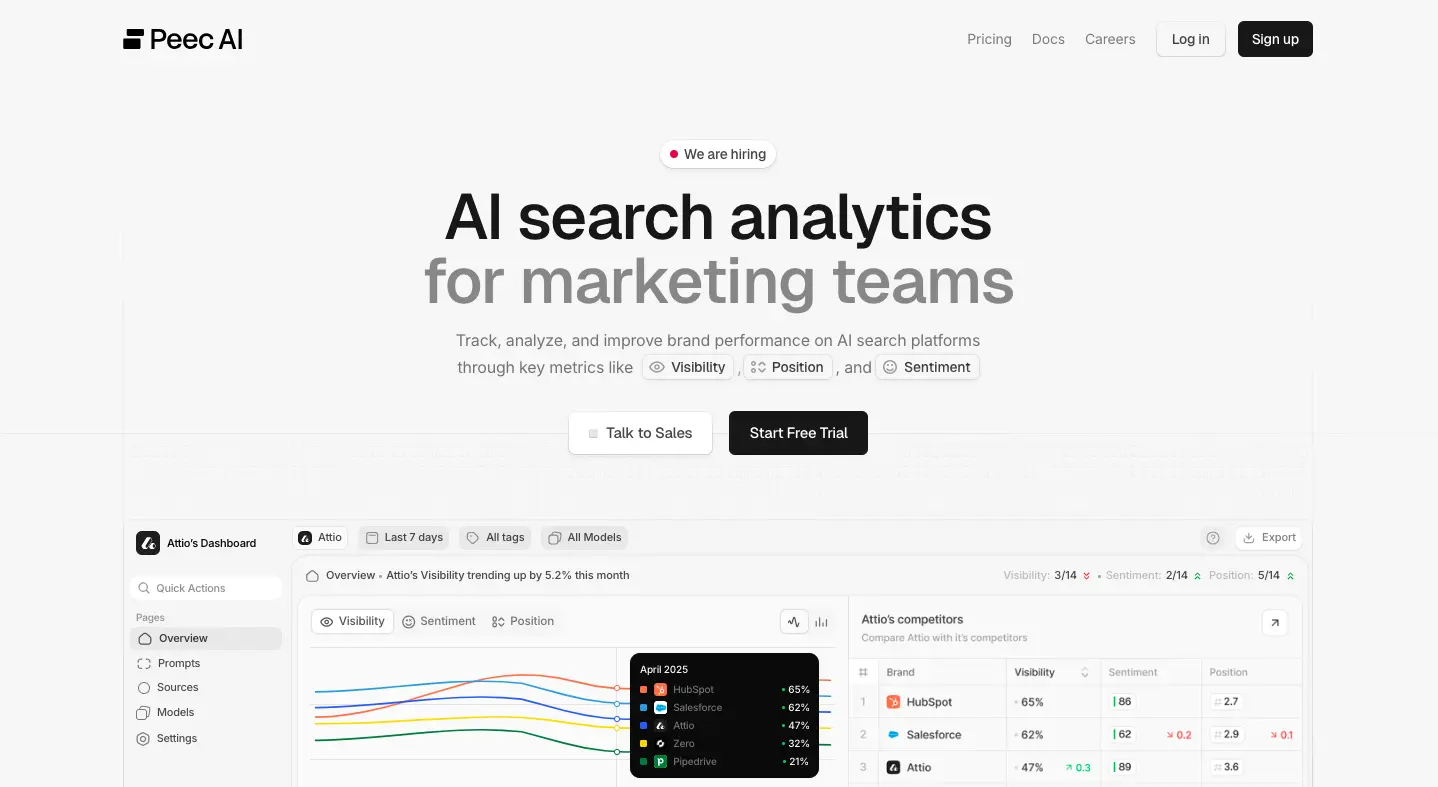
Best for: Agencies looking to track AI visibility for multiple clients and create sample projects for sales pitches.
Peec AI pros:
- Quick setup and intuitive dashboard
- Supports multiple client projects for agencies
- Shows key visibility metrics like brand sentiment and average position beyond just visibility score
- Gives you an estimated search volume potential for each prompt based on a 1-5 scale
- Detailed source reports for citation gap analysis
Peec AI cons:
- Limits you to only 3 AI models on each plan; you need to buy the custom Enterprise plan to unlock all the models
- Starter plan is limited to one country per project; multi-country tracking is available in Advanced (the most expensive plan)
Offering a straightforward setup process, a clean dashboard, and comprehensive AI visibility reports, it’s hard not to like Peec AI.
As an agency owner, I really appreciate how easy it is to create and manage multiple client projects. The tool also lets me create pitch projects, which I can use to offer brand monitoring services to prospects.
That said, even if you’re not an agency, Peec AI is still an excellent choice for tracking how your brand performs in AI-generated search results.
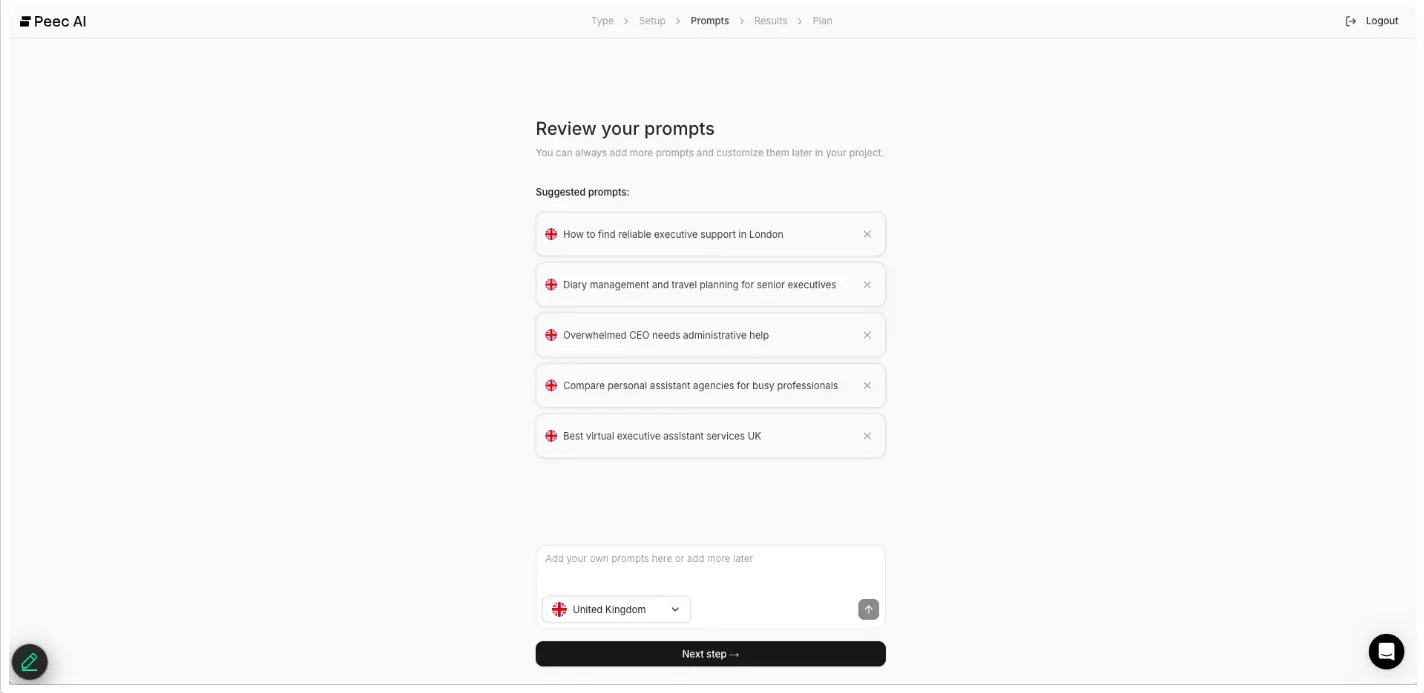
Setup is quick: add your company details and the prompts you want to track. You can paste prompts in bulk or start with suggested ones (and adjust them later as needed).
From the main dashboard, you can instantly view key metrics like your visibility score and citation rate, and how you compare against competitors.
You’ll also see your average brand sentiment score, showing whether your brand is being framed positively or negatively in AI responses.
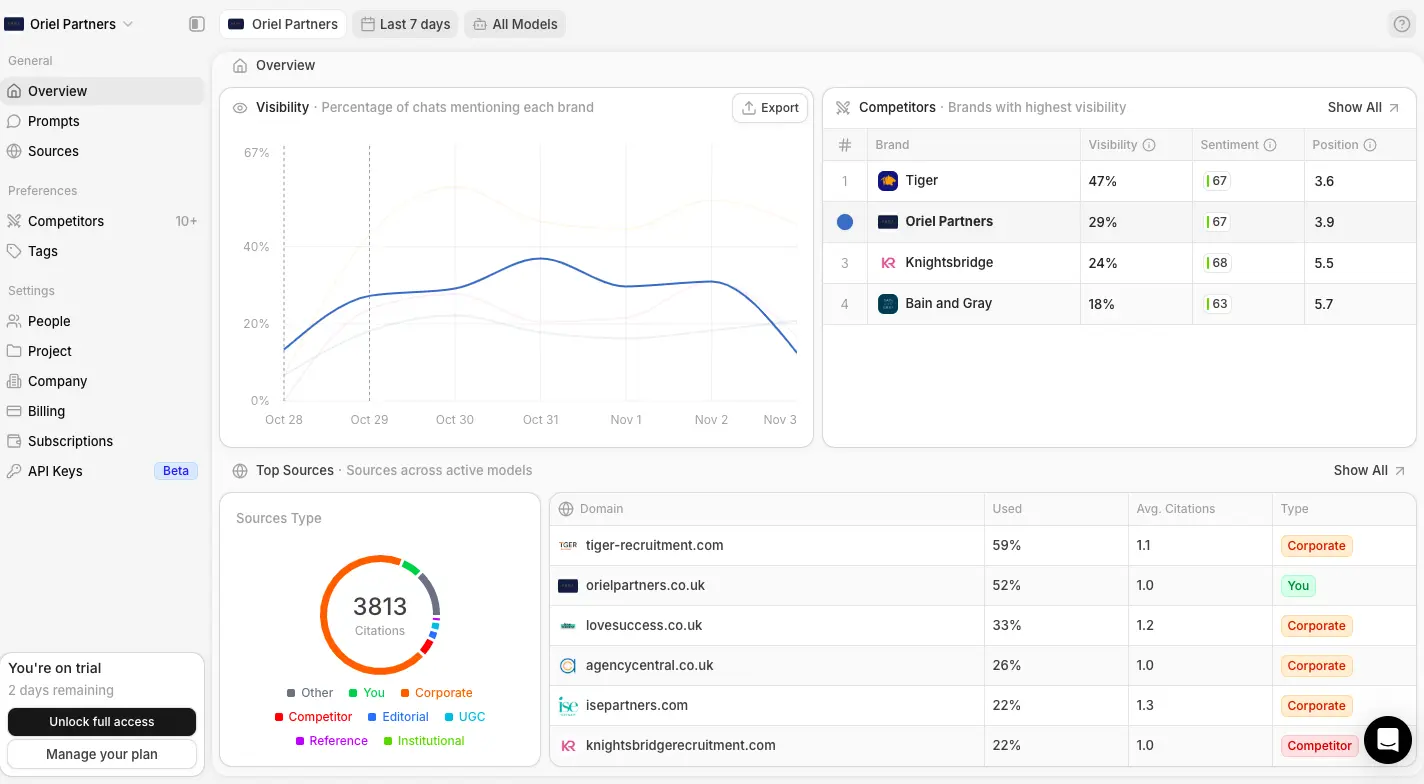
The only real downside is that the dashboard lacks filtering options by topic or location – something that Hall offers.
Where Peec AI truly stands out, though, is in its source analytics. From the Sources section in the left menu, you can see which domains and URLs AI models use to generate their responses.
You can even dive deeper with prompt-level analysis, tracking the types of domains and content formats being cited most often for each specific prompt.
The tool categorizes each cited URL by page type, such as homepage, category page, product page, listicle, how-to guide, article, or comparison piece.
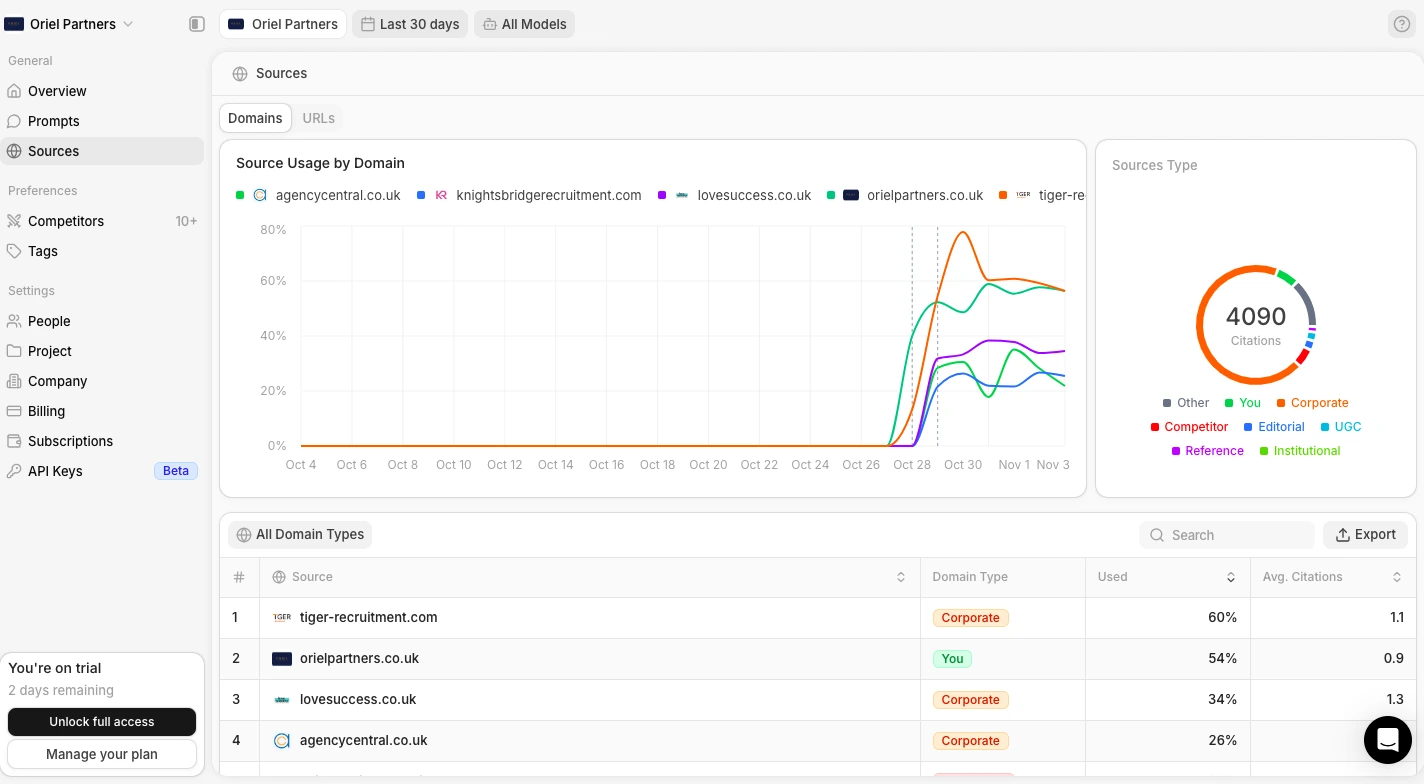
This gives you valuable insights to:
- Identify partnership opportunities: Once you know which sources are frequently cited by AI models, you can explore ways to earn mentions there. It could be through guest posting or paid collaborations.
- Refine your content strategy: Analyze what top-performing sources are doing well—like structure, depth, or tone—and apply those lessons to your own content.
- Find content gaps: Discover high-performing topics or formats your brand hasn’t covered yet, and use them to expand your visibility in AI results.
Supported AI platforms
AI Overviews, AI Mode, ChatGPT, Perplexity, Gemini, and Copilot; but you can only choose 3 of them on each plan.
The Enterprise plan allows you to track all those models plus API tracking for Claude Sonnet 4, GPT 5 Search, Deepseek, Qwen, and Mistral.
Data collection
Peec AI collects AI responses using the UI scraping method. Instead of using API data, this tool simulates real user interactions with AI tools to capture accurate, up-to-date results.
Data reporting
Peec AI supports CSV file exporting and Google Looker Studio integration. Check out their official documentation on how to import your AI visibility data to Looker Studio.
Plans & pricing:
- Starter ($95/month): 1 project, 50 prompts, unlimited users, choose 3 models, daily tracking
- Pro ($245/month): 2 projects, 150 prompts, unlimited users, choose 3 models, daily tracking
- Advanced ($495/month): 5 projects, 350 prompts, unlimited users, choose 3 models, daily tracking, multi country tracking, Looker Studio integration
- Enterprise (custom): Unlimited projects, fully customizable prompt tracking, choose from all models, daily or weekly tracking frequency, API access
Scrunch AI – Top Pick for Actionable GEO Insights
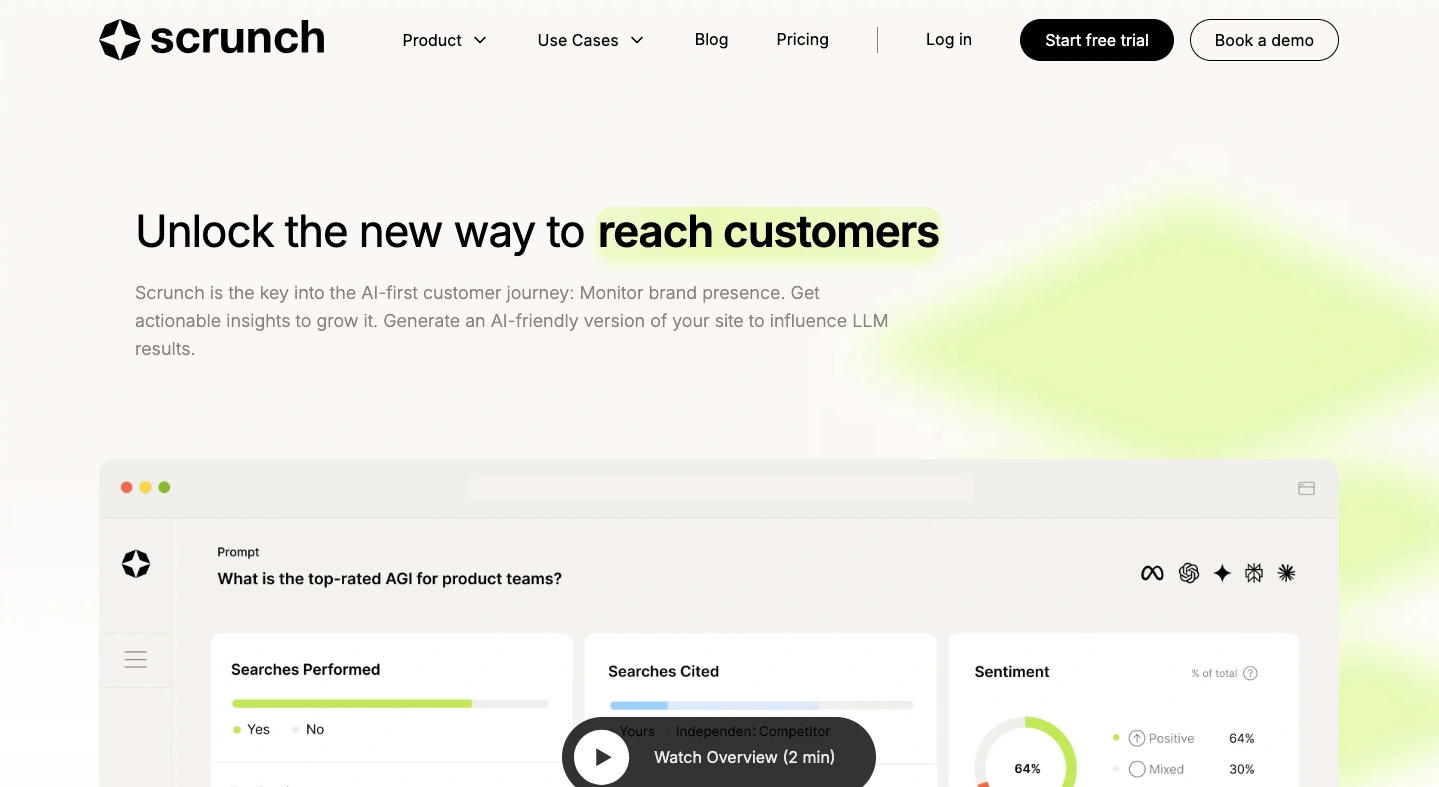
Best for: Enterprises and agencies looking for insights on how to improve brand presence in AI search.
Scrunch AI pros:
- Robust filtering options
- Data can be refreshed manually for real-time insights
- Lets you segment prompts by user persona and buying stage for more targeted analysis
- Includes a technical audit feature to identify page crawlability issues
- Provides actionable recommendations to improve your brand’s AI visibility
- The Agent Experience Platform generates a parallel, lightweight version of your site built specifically for AI agents
Scrunch AI cons:
- The platform’s extensive reporting can feel a bit overwhelming at times
- No documentation on how the tool scrapes data from AI chatbots
Update: Scrunch has been acquired by Sitecore in June 2026. Scrunch will continue to operate as a standalone platform, but its technology will progressively be integrated into Sitecore’s digital experience platform.
New feature: Agent Experience Platform (AXP) – only available in Enterprise. It generates a parallel, lightweight version of your site built specifically for agents. Your human visitors still see your normal site. AI crawlers get a leaner, more structured version that’s easier to parse, cite, and pull accurate information from.
Scrunch is more of a generative engine optimization (GEO) platform rather than a mere AI visibility tracking tool.
Don’t get me wrong, the visibility monitoring dashboard is amazing. It has more filtering and segmentation options than all the other tools on this list combined.
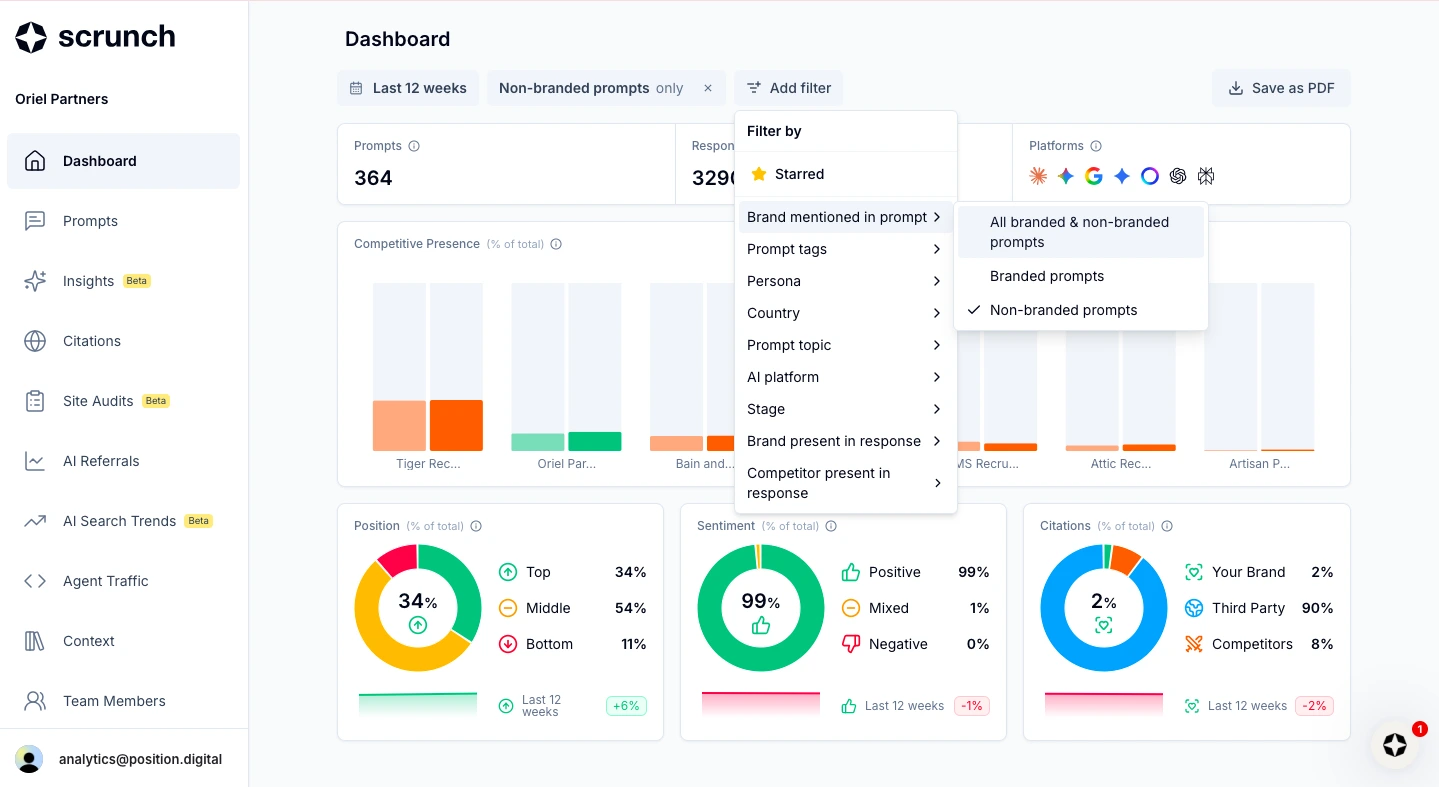
You can filter the dashboard by branded or non-branded prompts, topic, user persona, intent or buying stage, and much more.
But that’s not the main reason I recommend this tool. What really sets Scrunch apart is the actionable insights that come with its visibility data.
The platform doesn’t just show how your brand is doing in AI Overviews and LLM answers; it also gives you recommendations on how to improve your presence in AI search.
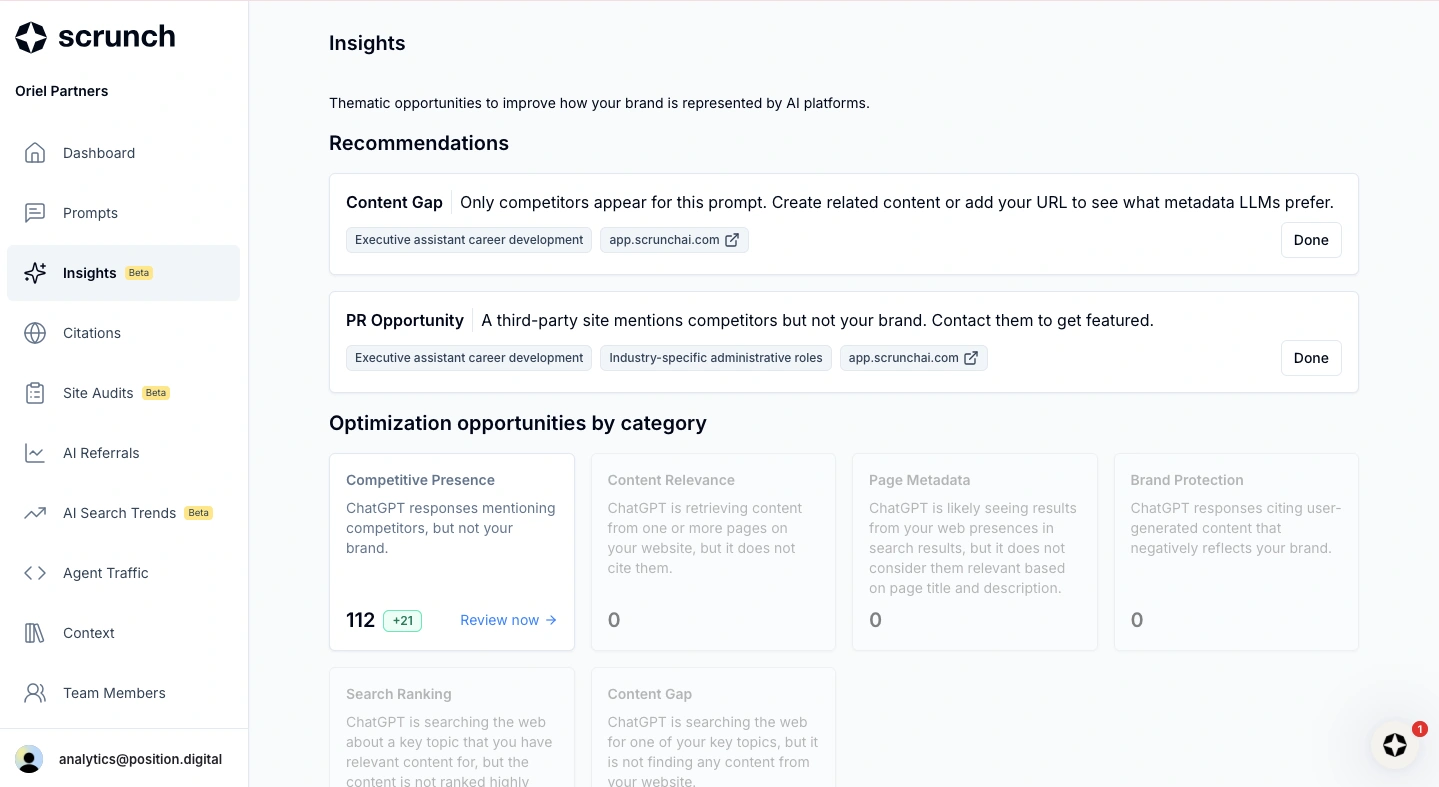
From the Insights section, you can uncover opportunities to optimize your website for AI mentions and citations:
- Content gaps: Identify prompts or topics where your competitors are mentioned but your brand isn’t, and then create or optimize content to close those gaps.
- Outreach opportunities: Spot frequently cited domains that feature your competitors, so you can reach out and request inclusion or collaboration.
- Low-hanging fruit content: Discover which of your pages are used by AI models as sources but not cited, and which rank well in traditional SERPs yet are overlooked by AI — often due to unoptimized titles, descriptions, or on-page context.
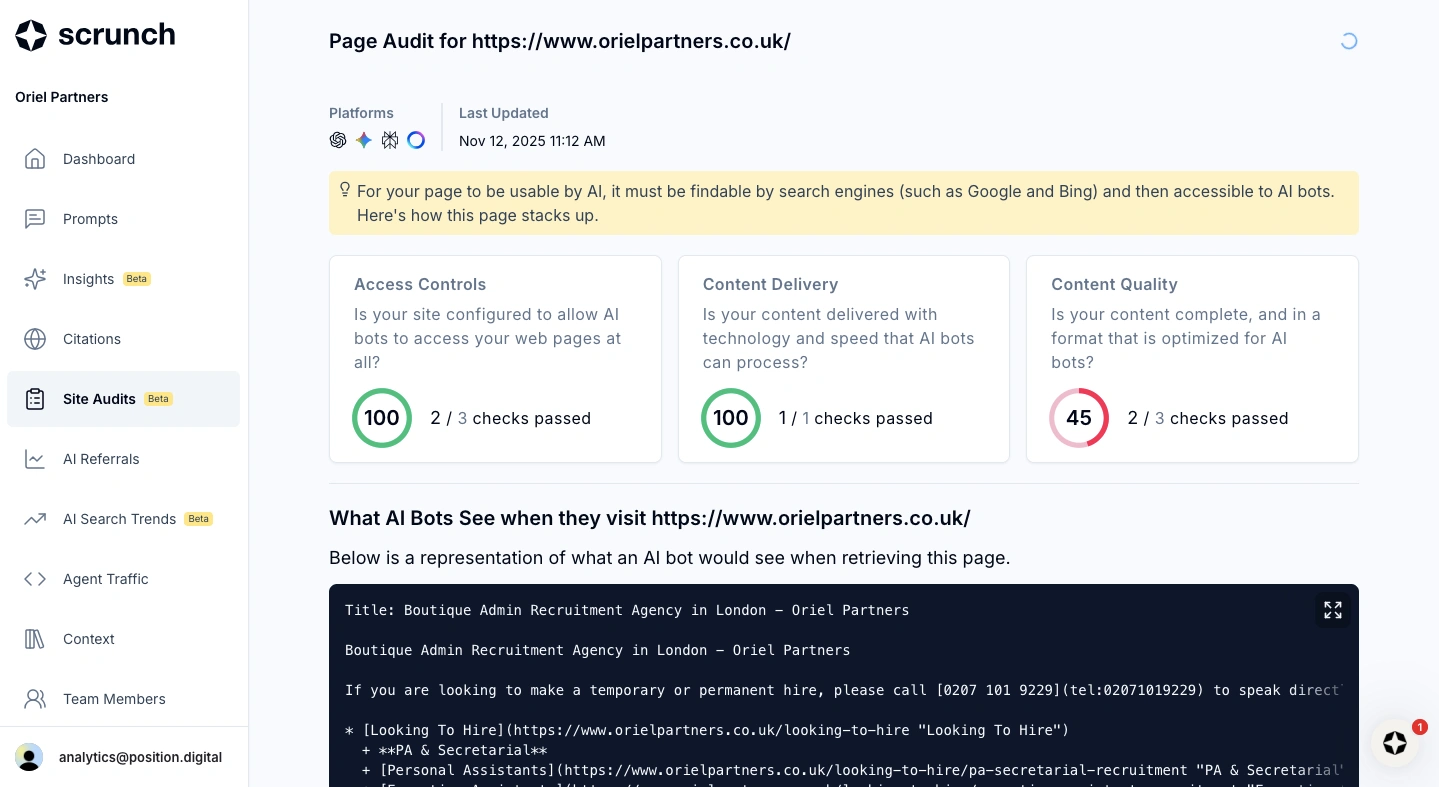
If you want to check whether a specific page is AI friendly, just head to Site Audits and enter your URL.
Scrunch will scan the page and flag technical issues that could prevent AI models from reading or citing it effectively.
Once you start implementing the right GEO tactics based on these insights, Scrunch helps you track their real-world impact through detailed AI referral and AI agent traffic reports.
Simply connect your Google Analytics account, and Scrunch will start pulling data to show which AI platforms are driving traffic to your site, which pages those visits land on, and how many of those visitors actually convert.
Overall, Scrunch feels less like a simple reporting tool and more like an AI SEO assistant – one that not only measures performance but also tells you how to improve it.
But the platform’s detailed reporting can be a double-edged sword.
Sometimes, finding specific insights requires extra navigation or filtering through multiple dashboards, which can be frustrating.
Supported AI platforms
AI Overviews, ChatGPT, Perplexity, Gemini, AI Mode, Meta, and Claude.
Data collection
I couldn’t find any documentation on Scrunch’s site that explicitly says how it collects data (whether it uses UI or API scraping).
Data reporting
When you’re ready to share the main dashboard with your team, you can save it as PDF. Other specific reports, like prompts and citations, can be exported to CSV or Excel files.
Plans & pricing:
- Brand Core ($250/month): 125 unique prompts, 5 site audits per month, 1 brand workspace, 5 user licenses, 4 LLMs supported: ChatGPT, Google AI Overview, Copilot, Perplexity
- Agency Core ($500/month): 250 unique prompts, 5 site audits per brand per month, 3 brand workspaces, 3 pitch workspaces, unlimited user licenses, 4 LLMs supported: ChatGPT, Google AI Overview, Copilot, Perplexity
- Enterprise (custom): Custom number of prompts and workspaces, AXP (Agent Experience Platform), SSO, dedicated account team, 9 LLMs supported: ChatGPT, Google AI Overview, AI Mode, Copilot, Perplexity, Gemini, Claude, Grok, Meta AI
OtterlyAI – Top Pick for Brand Sentiment Analysis
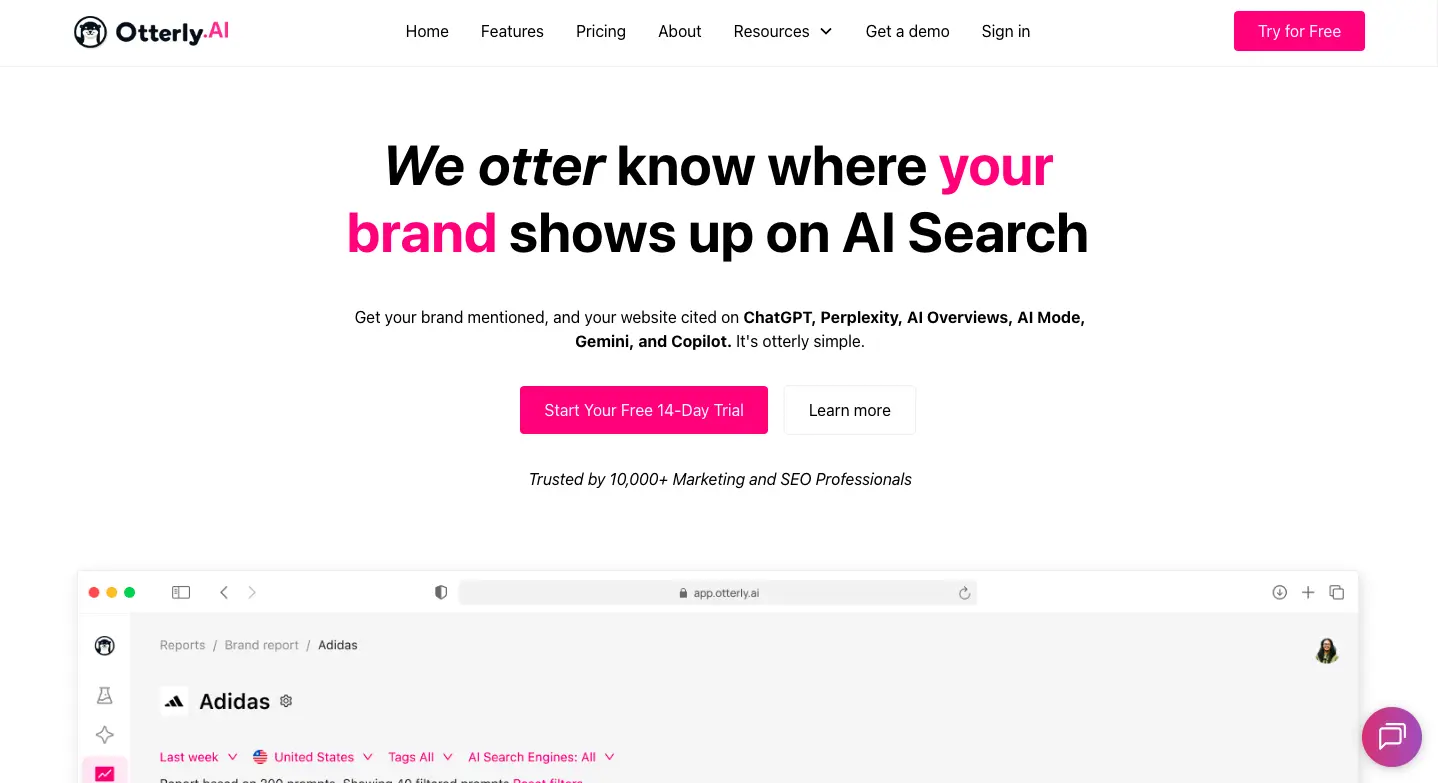
Best for: Businesses looking to monitor what AI is saying about their brand and competitors
OtterlyAI pros:
- Unlimited brand reports and unlimited team members on all paid plans
- Brand Report uses a linear layout, so you don’t need to jump between sections
- Sentiment analysis for each prompt and each brand mentioned
- Intent volume shown as real numbers, similar to keyword volume
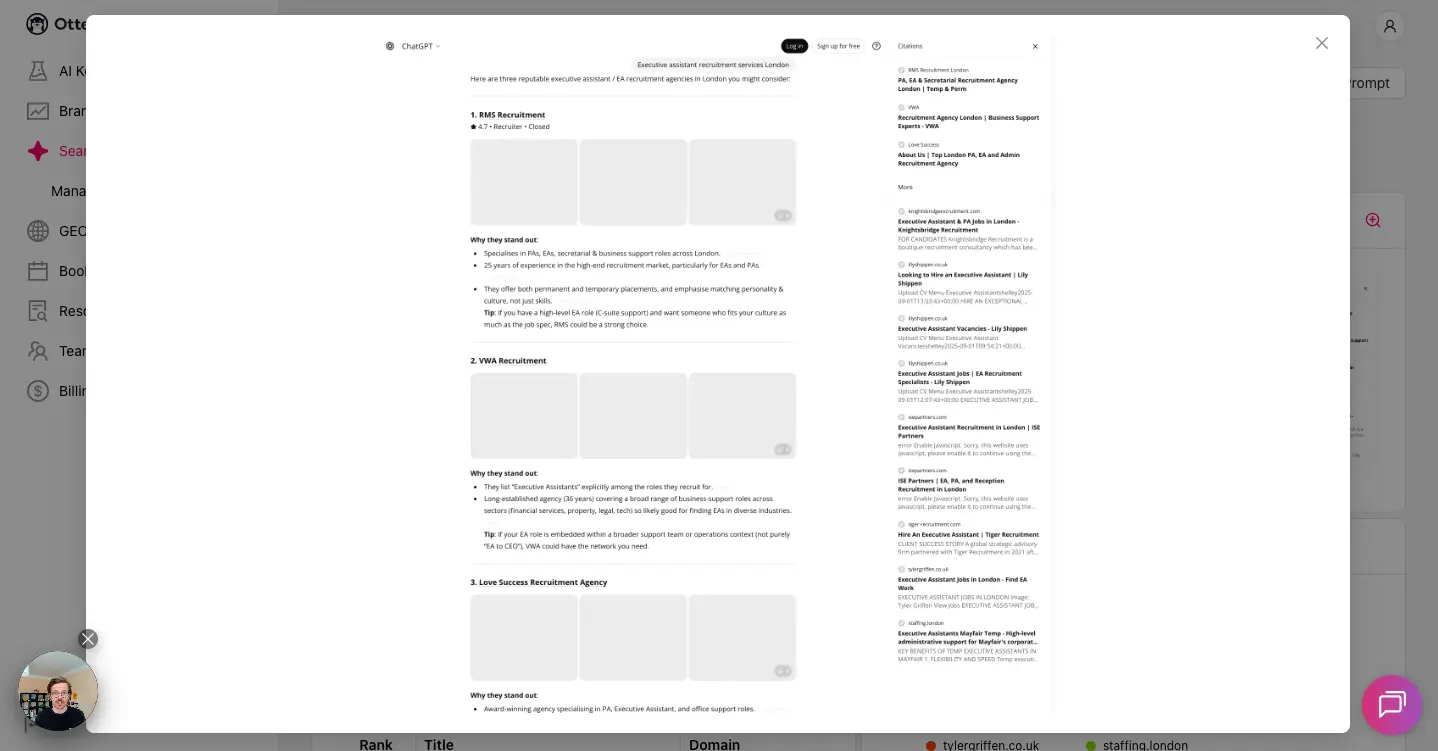
- Actual AI chat screenshots included in all prompt reports
- Has a GEO audit feature to check your URL’s AI friendliness
OtterlyAI cons:
- There are some UI issues
- Limited filtering options for Brand Report
- Inconsistent and contradicting reports
With some improvements, the tool has so much potential. This was my immediate reaction when trying OtterlyAI.
It’s one of the few AI brand tracking tools that show you real, interface-level AI outputs, complete with screenshots.
You’re not getting a simulated version of the AI chatbot… you’re seeing it exactly as a user would.
Feature-wise, it has everything you need. On top of an in-depth Brand Report that shows your brand mentions, average position, and citation share, you also get:
- AI Keyword Research: You can add your SEO keywords, and the tool automatically converts them into AI prompts. This is extremely useful if you want to align your traditional SEO strategy with GEO.
- Prompt Intent Volume: Each prompt has a real numerical “intent volume” score (similar to keyword search volume, but for AI). This way, you’ll know which topics and prompts are worth pursuing.
- GEO Audit (Domain & URL Audit): This feature checks whether your domain or specific URL is “AI-friendly” and flags issues that may prevent LLMs from reading, citing, or using your content. It’s similar to a mini-tech SEO audit — but for AI search visibility.
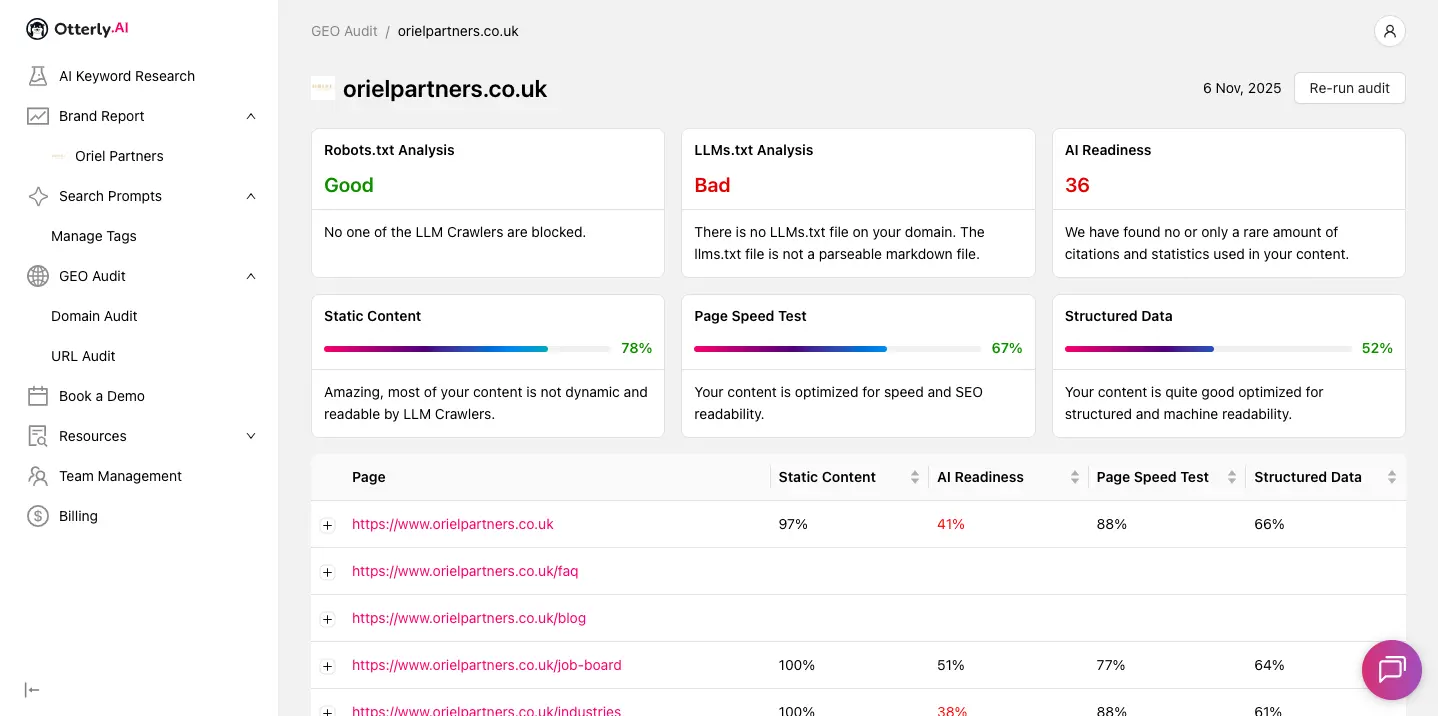
One thing OtterlyAI does really well is giving you a detailed brand sentiment analysis.
You can see how many positive, neutral, and negative mentions of your brand for each prompt. And the tool actually gives you a summary of what AI is saying about your brand.
This helps you quickly spot messaging issues, misinterpretations, or narrative gaps that may need correcting in your content.

The tool also lets you add multiple brand name and domain variations. This is especially helpful for entity analysis, where LLMs often confuse brand spellings or treat brand variants differently.
Unfortunately, there’s an issue with the UI, where text sometimes gets cropped (as you can see from the screenshot above).
Furthermore, I found some inconsistencies with the reports. For example, the main dashboard says your brand gets a mention, but the actual prompt analysis doesn’t show your brand mentioned anywhere.
But like I said, if the developer can fix those issues, I think OtterlyAI has so much potential to be a reliable AI search optimization platform.
Supported AI platforms
ChatGPT, Google AI Overviews, Perplexity, and Microsoft Copilot. Google AI Mode, Gemini, and Claude are available as extra add-ons.
Data collection
OtterlyAI collects data by replicating and analyzing the actual AI interfaces that real users interact with—not by pulling responses from LLM APIs.
And you can actually see this in the tool. Within each prompt report, OtterlyAI shows a full snapshot of the real AI chatbot UI.
Data reporting
OtterlyAI currently only supports CSV exporting. But the tool is working on a Google Looker Studio integration, so stay tuned.
Plans & pricing
- Lite ($29/month): 15 search prompts, daily tracking, multi-country support (50+), unlimited brand reports and team members, 1,000 GEO URL audits per month
- Standard ($189/month): 100 search prompts, daily tracking, multi-country support (50+), unlimited brand reports and team members, 5,000 GEO URL audits per month, API and MCP access, agents analytics
- Premium ($489/month): 400 search prompts, daily tracking, multi-country support (50+), unlimited brand reports and team members, 10,000 GEO URL audits per month, API and MCP access, agents analytics
- Enterprise (custom quote): Everything included from above plus custom search prompts, single sign-on, quarterly GEO health check, and personalized onboarding
Writesonic – Top Pick for AI-Friendly Content Optimization
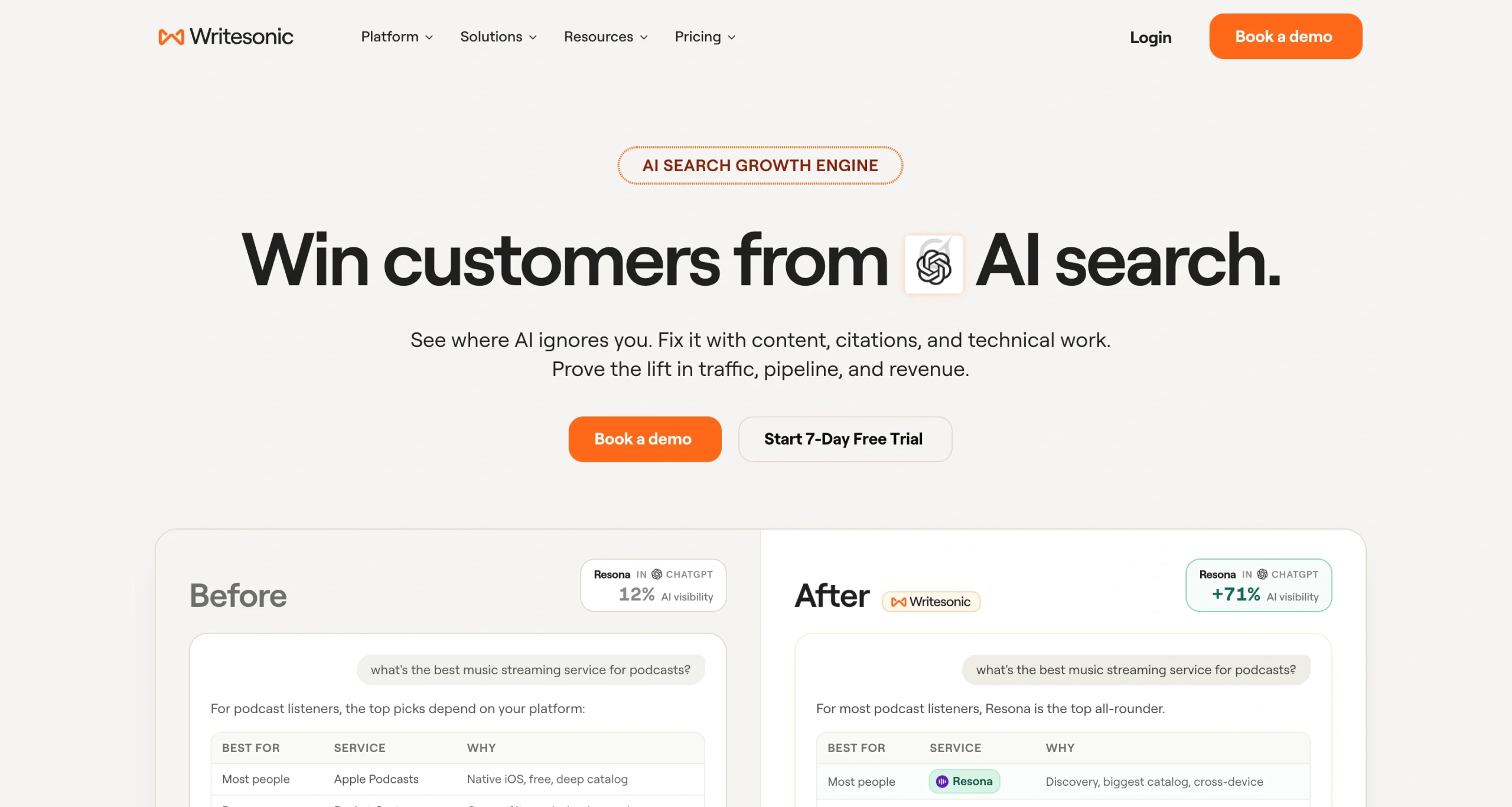
Best for: Enterprises and agencies that want to actively improve their content for AI visibility—not just monitor what LLMs say about them.
Writesonic pros:
- Actionable GEO recommendations
- Integrated content optimization tools inside the platform
- Prompt-level insights showing which queries trigger brand mentions
- Detailed citation and source tracking
- Competitor benchmarking with share-of-voice insights
- Brand Explorer lets you research any brand (not just yours) across a claimed 2 billion+ real AI conversations
- AI Shopping tracking monitors how products appear in ChatGPT Shopping and AI product recommendations
- AI crawler/bot analytics
- Ads monitoring
Writesonic cons:
- Advanced capabilities may be more than smaller teams require
- Some advanced workflows and analytics (like sentiment analysis) are limited to higher-tier plans
- Less focused on traditional SEO areas like backlink tracking
- No white-label or agency-branded reporting on the standard visibility tiers, which rules Writesonic out for agencies expecting client-ready branded dashboards
Writesonic is an AI search visibility tracking and optimization platform.
The dashboard shows you all you need to know: your AI visibility, share of voice, sentiment, citation rate, and more.
But what separates it from the rest is the Action Center, which is designed to turn visibility data into practical next steps.
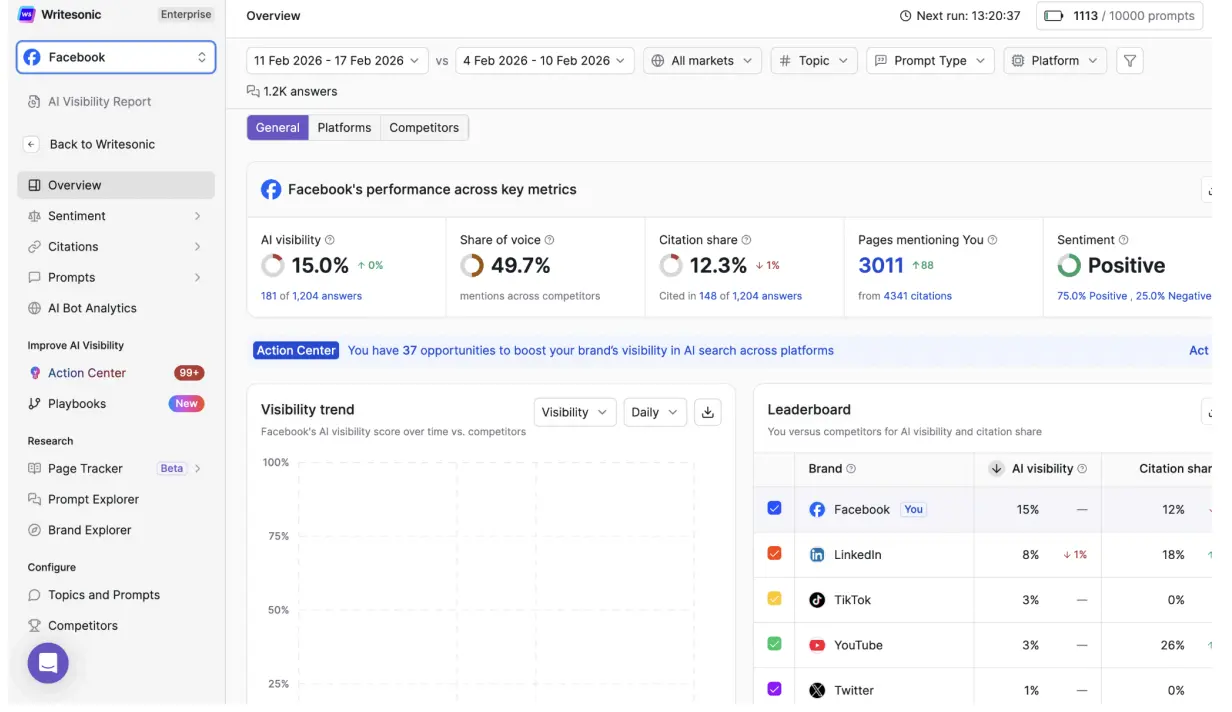
This helps you pinpoint what to change—whether that’s improving a specific page’s relevance, strengthening entity context, or aligning content more closely to the prompts that drive AI answers.
There’s also a feature for creating and refreshing content that can rank on Google and get cited by AI, with built-in fact-checking and internal linking as part of the optimization workflow.
Another standout feature is prompt analysis. You can see exactly which queries trigger brand mentions (and which don’t), which makes it much easier to prioritize content and outreach work based on real AI demand—rather than guessing which topics matter most.
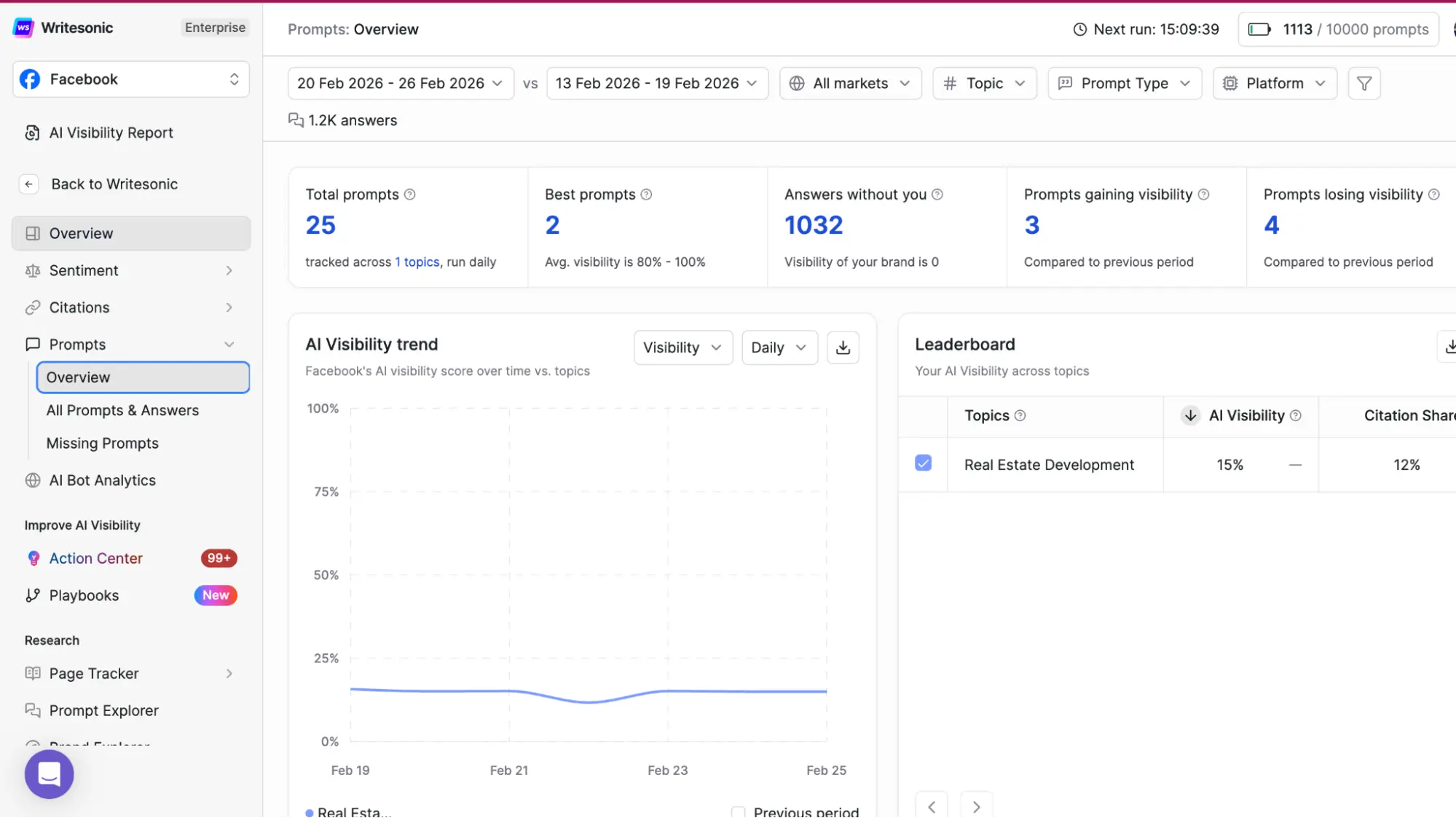
Writesonic also pairs this with detailed citation and source tracking.
You can review which domains and pages AI models are using as references, then use those insights to spot citation gaps, find partnership opportunities, or adjust your content format and structure to match what AI engines consistently pull from.
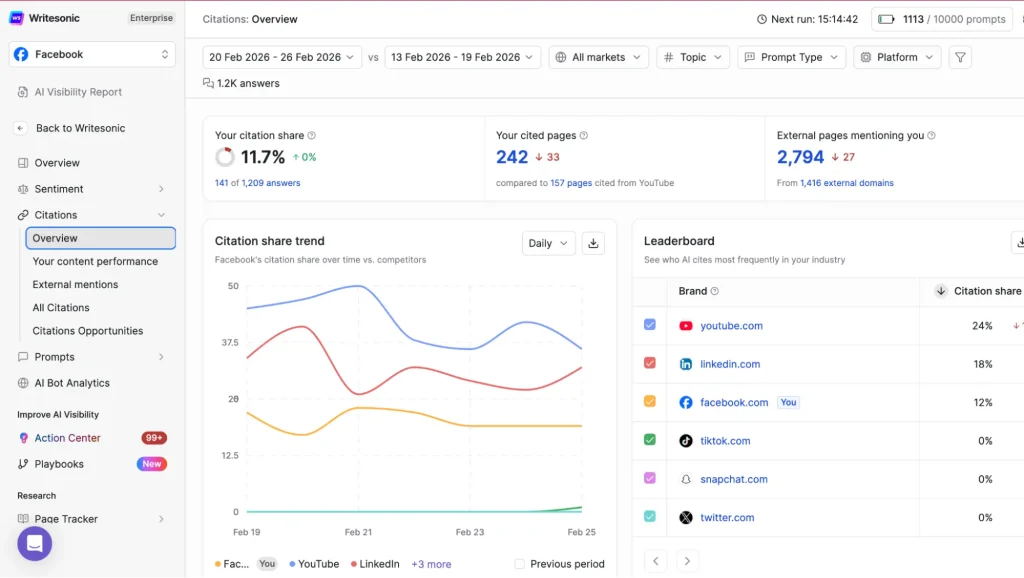
On top of that, competitor benchmarking and share-of-voice reporting make it easier to understand the landscape.
Instead of just tracking your own performance, you can see which competitors are winning key prompts, where they’re being cited, and where you have realistic “catch-up” opportunities.
Other awesome features that most other tools don’t offer include:
- Brand Explorer. Lets you research any brand (not just yours) across a claimed 2 billion+ real AI conversations, plus tagging/grouping by campaign or product line and multi-brand management for agencies.
- AI Shopping tracking. It monitors how products appear in ChatGPT Shopping and AI product recommendations
- Crawler/bot analytics. A Cloudflare-based feed showing which AI crawlers visit your site and which pages they pull from.
Where Writesonic may be less ideal is for teams that want a lightweight tracker. Some of the workflows and dashboards feel built for mature teams with a clear GEO process, and the most advanced analytics are gated behind higher tiers.
Supported AI platforms
ChatGPT, Gemini, and Google AI Overviews on Starter, Basic, and Growth plans for brands.
AI Mode, Perplexity, Claude, Copilot, Meta AI, DeepSeek, and Grok are available in Enterprise + agency plans.
Data collection
Writesonic tracks AI visibility by analyzing real AI-generated responses and mapping citations, prompts, and brand mentions across supported platforms.
Data reporting
Provides export options and enterprise dashboards, with analytics that connect AI citations to traffic performance and content optimization workflows.
Plans & pricing:
For brands:
- Starter ($99/month): 1 user and 1 project, 50 prompts and 50 answers tracked daily across ChatGPT, Gemini, and Google AI Overviews, ads monitoring, 15 AI articles and 10 site audits per month
- Basic ($249/month): 2 users and 1 project, 100 prompts and 300 answers tracked daily across ChatGPT, Gemini, and Google AI Overviews, ads monitoring, 25 AI articles and 20 site audits per month
- Growth ($499/month): 3 users and 2 projects, 200 prompts and 600 answers tracked daily across ChatGPT, Gemini, and Google AI Overviews with, ads monitoring, 50 AI articles and 50 site audits per month, sentiment analysis and Action Center included
- Enterprise (custom): Everything in Growth plus custom prompts, regions, and languages, tracking across 10 AI platforms, AI search volume & trend insights, Brand Explorer, Page Tracker, Prompt Explorer, Alerts, Shopping & Agentic Commerce, Looker Studio & other integrations
For agencies:
- Agency Starter ($250/month): Up to 20 pitch projects per month, 2,000 answers tracked per month, unlimited users, projects & access control, access to AI models except Claude
- Agency Enterprise (custom): Custom pitch projects + standard projects, client workspaces + consolidated billing, white-label reporting + pre-built SOWs
Wellows – Top Pick for Outreach & Content
Best for: Teams who want AI visibility tracking that leads directly to clear next steps.
Wellows pros:
- Shows Outreach and Content opportunities
- Daily monitoring with all-time history
- Google Search Console integration
- Competitor tracking
- Built-in KIVA workflows for briefs and content generation
- Good value for money
Wellows cons:
- Multi-engine coverage requires Starter or Pro, Lite is ChatGPT-only
- It’s not a full traditional SEO suite for backlinks and classic rank tracking, so most teams will still keep their existing SEO stack
If you’re trying to understand AI search visibility, most tools stop at “here’s your mention count.”
Wellows is more useful when you’re trying to close the gap.
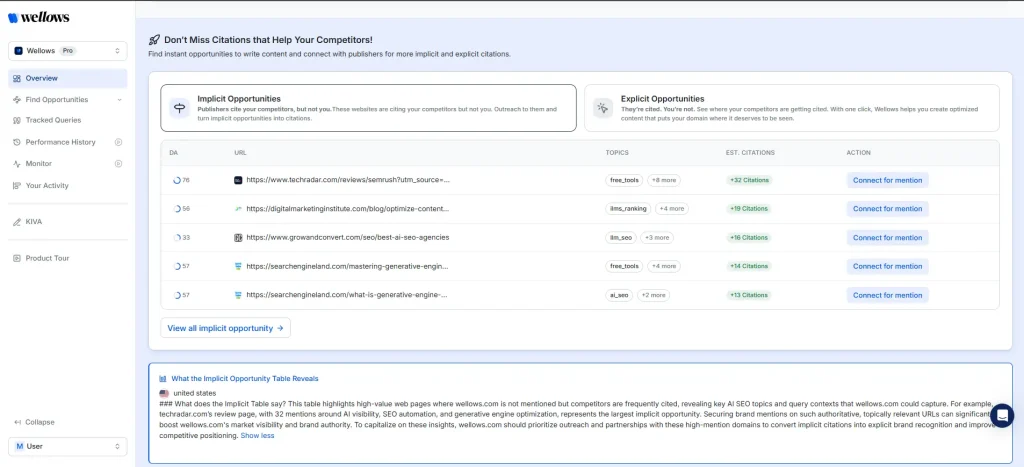
It flags where competitors are earning citations, then organizes those gaps into two practical buckets.
- Outreach opportunities show where competitors are mentioned and you are not, so you can target the publishers and sources already influencing AI answers.
- Content opportunities highlight competitor-cited pages and topics where your site should be present, so you know what to publish or update next.
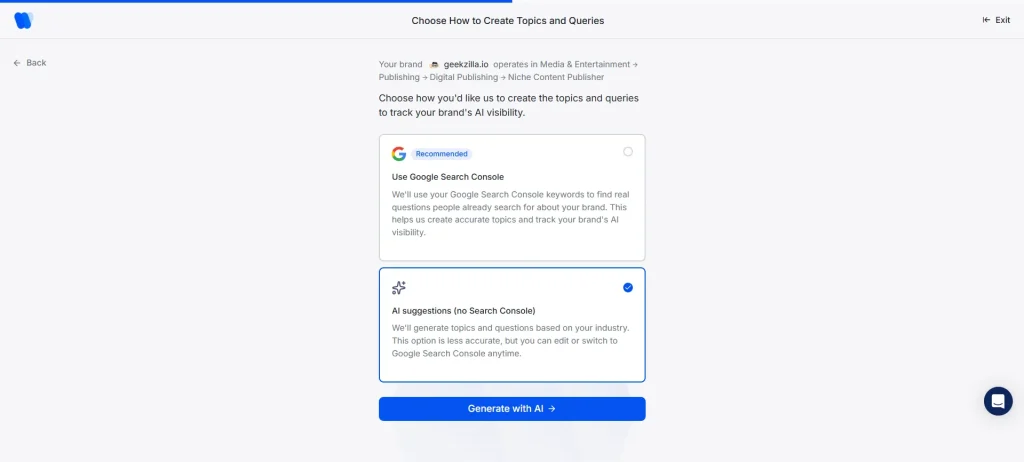
Another unique feature that I really like is the Google Search Console integration. You can sync your GSC account to generate tracking queries from real search data, instead of synthetic prompts like what most tools offer.
The rest of the dashboard is pretty similar with other tools.
The Overview page shows a visibility score and a quick competitor comparison, with a sentiment view available alongside visibility.
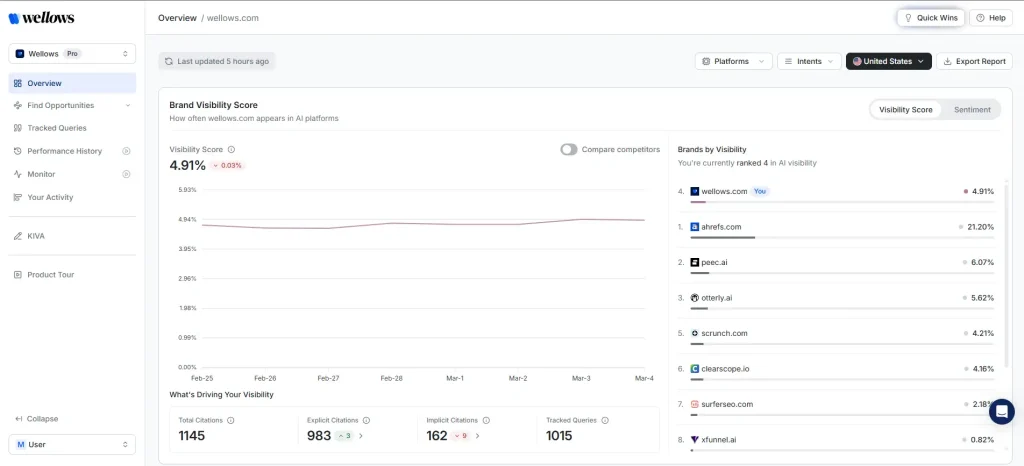
Beyond the overview, you also get Performance History and Monitor sections for tracking changes, plus KIVA for briefs and content generation.
The UI also references an upcoming OPTA on-page technical audit module, which should make the “fix” side of the workflow even tighter once released.
Pricing is also one of the best I’ve seen in this category, with a $37 per-domain entry plan and a 7-day free trial, which makes it easier to test and roll out compared to many higher-priced AI visibility tools.
Supported AI platforms
- Lite: ChatGPT only
- Essential: ChatGPT + Google AI Overviews
- Starter / Pro: ChatGPT, Google AI Overviews, Gemini, Perplexity, Google AI Mode
Data collection
During my trial call with the founder of Wellows, he mentioned that 90% of data collected by the platform comes from UX scraping, while 10% is from the API of each model.
Data reporting
Wellows supports exporting from the dashboard (Export is available directly in the UI), which is useful for sharing client-ready snapshots and trend updates.
Plans and pricing
- Lite $37/domain/month includes 40 prompts tracked and 1,200 responses analyzed
- Essential $97/domain/month includes 100 prompts tracked and 6,000 responses analyzed
- Starter $297/domain/month includes 400 prompts tracked and 60,000 responses analyzed
- Pro $497/domain/month includes 1,000 prompts tracked and 150,000 responses analyzed
All plans include a 7-day free trial, daily monitoring, all-time history, sentiment analysis, and GSC integration.
Trackerly – Top Pick for Localization

Best for: Agencies handling international clients and brands serving different markets
Trackerly pros:
- Ability to create prompt groups for different countries
- Data accuracy is the best of all the tools I tested
- It shows the exact AI model and version used for each prompt
- Straightforward interface focused solely on AI visibility, without unnecessary clutter
Trackerly cons:
- No option to add your brand details
- No detailed prompt-level analysis
- Limited features compared to other tools
- No documentation on how it collects responses from AI chatbots
Trackerly stands out for its localization feature, giving you the ability to track visibility in multiple locations.
You can create different prompt groups for different countries. For example: Spanish queries for Spain, English queries for US and UK, and so on.

This level of geographic granularity is rare, and incredibly valuable for global brands or agencies managing multiple regions.
You can easily compare how your visibility shifts from market to market and quickly spot where you’re gaining traction or falling behind.
After you set up your prompts, Trackerly will start analyzing the results and give you a summary of your AI visibility:
- Mentions: How often your brand appears across your tracked prompts, plus competitor comparisons.
- Sentiment Analysis: Shows your average sentiment score per AI model, with short excerpts showing what AI actually says about your brand.
- Share of Voice over time: Tells you whether your visibility is improving or if competitors are gaining ground.
- Citations: How many citations your website gets and which URLs are cited the most.

Trackerly’s data accuracy is the strongest of all the tools I tested. Still not 100% accurate, but noticeably more reliable.
It’s also very transparent: you can see exactly which model generated each response, something many tools hide.

That being said, Trackerly isn’t built for deep analysis.
For example, it only tells you the number of mentions and citations you get, but doesn’t show which prompts actually trigger those — you have to check each response manually, which is time-consuming.
The tool also lacks features other platforms offer, such as GEO recommendations, URL audit, and prompt generator.
It’s still a great choice if you need precision, transparency, and multi-market tracking. But if you’re looking for detailed AI performance analysis, there are better solutions in the market.
Supported AI platforms
AI Mode, AI Overview, ChatGPT, Perplexity, Gemini, Claude, and Deepseek. Available across all plans, but some models require higher credits than others.
Data collection
Citations are tracked from all models that use a web search tool, and Trackerly gathers them by using a model’s native search feature rather than feeding a third-party search call into an LLM to produce a synthetic response.
Data reporting
Trackerly currently only supports CSV exporting for some reports.
Plans & pricing
Unlike most tools in this article, Trackerly uses credit-based pricing.
This means you get access to all key features even in the basic plan, but costs can climb quickly if you’re not careful.
- Lite ($27/month): 4,500 credits, access to all supported AI models and features.
- Growth ($97/month): 42,000 credits, everything in Lite plus API access and priority support.
- Pro ($247/month): 115,000 credits, everything in Growth plus team collaboration and custom reports.
- Custom plan if you need more credits.
Waikay – Top Pick for Reputation Management

Best for: Companies and brands looking to monitor their brand reputation across AI models.
Waikay pros:
- Shows what AI’s training data says about your brand
- Helps you identify and fix incorrect facts about your business
- Provides highly detailed and actionable topic gap reports
- Gives you clear action plans to improve AI visibility
- Offers a dedicated API, letting you pull prompt tracking, brand visibility, and topic report data directly into your own dashboards or workflows
Waikay cons:
- Supports only a limited number of LLMs (ChatGPT, Gemini, Claude, and Perplexity)
- The tool has recently reduced the number of prompts you can track on each plan (from 620 to 120 in Small Teams, 1,800 to 360 in Large Teams, and 4,000 to 880 in Bigger Projects)
Waikay isn’t trying to be a general-purpose AI visibility tracker.
Instead, it focuses heavily on topic intelligence and gap analysis, helping you understand whether your brand appears in AI training data, how it’s being described, and what you can do to strengthen that presence.
The tool offers very limited AI model support—you can only track your brand visibility in Gemini, ChatGPT, Perplexity, and Claude.

But the depth and actionability of the topic reports more than make up for it if your main goal is creating content that wins in AI search.
With Waikay, you can:
- Audit AI knowledge about your brand: Understand whether AI models say the right facts or hallucinate details.
- Uncover topic gaps and content opportunities: Identify the entities, subtopics, and themes that competitors are visible for, but you’re missing.
- Generate a clear action plan: Get guided recommendations on what content to create or optimize to improve your topical authority and AI visibility.

If AI is getting facts about your brand wrong, you can flag the errors and fix them — either by updating your own site or reaching out to the sources of misinformation.
To do this, head to the Sources section, which shows all the pages AI models use to gain knowledge about your brand and competitors.
From there, review each URL to identify directories, listicles, or third-party profiles that potentially contain the incorrect information.

Waikay also offers a dedicated API, letting you pull prompt tracking, brand visibility, and topic report data directly into your own dashboards or workflows rather than relying on the native UI.
Supported AI platforms
ChatGPT, Gemini, Claude, and Perplexity
Data collection
Waikay collects data from four primary AI models (ChatGPT, Gemini, Claude, and Perplexity) using a dual query strategy:
- Explicit queries that limit responses to training data only
- Grounded search queries that trigger web search
But it doesn’t mention anywhere on the website whether that data is gathered through UI or API scraping.
As for topic gap reports, Waikay uses existing InLinks technology infrastructure that currently has a Knowledge Graph containing 100 million entities and 10 billion relationships across 17 languages.
Data reporting
You can share topic reports and action plans via URL or export them into a PNG or CSV file. Looker Studio integration is currently under development.
Plans & pricing
There’s an early adopter special offer for just $24.95. Only for 1 user and 8 credits per month.
- Small Teams ($69.95/month): 120 prompts, 30 AIO Action Plans, 2 seats, unlimited projects, 13 languages & 40 countries
- Large Teams ($199.95/month): 360 prompts, 90 AIO Action Plans or 9 advanced action plans, unlimited seats, team training
- Bigger Projects ($444.00/month): 880 prompts, 220 AIO Action Plans, account setup consultancy
Conductor – Top Pick for Holistic Search Monitoring

Best for: Enterprises and large companies that want SEO, content, and AI monitoring features in one platform.
Conductor pros:
- All-in-one platform for keyword research, AI-assisted content creation, AI visibility monitoring, and more
- Allows you to group prompts based on user persona, intent, tone, and seasonal context, as well as topic clusters
- AI Topic Map gives you a semantic view of your entire site, not just tracked prompts, flagging content gaps and optimization opportunities at the page level
- AI Crawler Activity monitoring shows exactly how AI bots interact with your site, so you can see what’s getting crawled and why some pages aren’t
- A dedicated API (with an ai_search_response endpoint) gives programmatic access to AI results from ChatGPT, Gemini, Perplexity, and other engines
- Integrations with Google Search Console and GA4 for holistic SEO/GEO reporting
Conductor cons:
- Custom pricing (Conductor doesn’t publish its plans and price list)
- Pulls AI answers via official APIs instead of scraping each model’s UI. Surfer SEO’s study argues API-based collection is less representative of what real users see
- Noticeable learning curve and an interface that can feel a bit “legacy” compared to newer tools
If you want a platform that handles all parts of your search marketing workflows, Conductor is a great choice.
This tool combines traditional SEO features—keyword research, organic performance tracking, and competitive analysis—with GEO functions like AI Search Performance, AI Topic Mapping, and AI crawler insights.
All of this is tied directly into content workflows, giving SEO and content teams a shared space to create briefs, generate outlines, and optimize pages based on real intent data.

One of the platform’s standout capabilities is how it groups AI prompts by search intent, user persona, and topic clusters.
Instead of looking at prompts one by one, you can see how your brand performs across entire intent categories—awareness, consideration, decision—and across the key personas you’re targeting.
This matters because AI models respond differently depending on each unique user. Remember how I said that LLM answers are highly personalized?
By analyzing topic clusters rather than isolated queries, Conductor shows you where in the funnel you’re visible, where you’re missing, and which content gaps you need to fill. It’s a far more realistic view of the customer journey inside AI search.

Beyond visibility and content, Conductor’s AI Crawler Activity feature monitors how AI bots actually access your site: what’s getting crawled, what’s being missed, and why.
It’s the kind of technical-layer visibility that most pure monitoring tools (Trackerly, Waikay, OtterlyAI) don’t offer, and it pairs naturally with the platform’s existing technical SEO audits.
For teams wanting to plug Conductor’s data into their own systems, a dedicated API is now available, including an endpoint for pulling AI search response data directly into internal dashboards or workflows.
However, navigating the dashboard can feel confusing at times with all the different reports and features.
It’s powerful, but the sheer volume of data means there’s a learning curve before everything feels second nature.
Supported AI platforms
AI Overviews, AI Mode, Gemini, ChatGPT, and Perplexity.
Data collection
Conductor uses official APIs from each AI engine to fetch responses. This method doesn’t reflect real-world user experience, making it far less accurate than UI scraping according to this study from Surfer SEO.
Data reporting
Apart from CSV exports, Conductor offers integrations with Google Search Console and Google Analytics 4. This means you can have a holistic view of your overall performance in organic and AI-driven search.
Plans & pricing
Custom pricing (no public information regarding its plans)
Final Verdict
LLM answers are highly personalized and volatile. And until ChatGPT and Co give us real user prompt data, AI visibility monitoring will always be a guessing game.
No tool today can show you a perfectly accurate picture of your brand’s presence in AI search. But they can help you understand what LLMs reward, which sources they trust, and where your content or authority is falling short.
Use these insights to guide your GEO, content, and digital PR strategy — not as absolute truth, but as a strategic compass.
If you’d rather have an expert do it for you, explore our AI Search Optimization services. We’ll audit your current AI visibility, uncover the gaps holding you back, and make the necessary improvements.